Exciting News!

Exciting News!

dTrMAbyjc

I’m very excited to announce that I’ve been invited to join the design team over at Perfectly Rustics!

TODDLER_ART-girl-friends

Three very talented women in Australia, who shared a passion for crafting, started this site in June of 2013.  Perfectly Rustics continues to host bi-weekly ( fortnightly) challenges on a variety of themes.  I have enjoyed visiting their site regularly since last fall to be inspired, encouraged, and motivated, and I really feel that my regular participation in these challenges has helped me to become a better card maker.

 yikes

While I am extremely honored to have been asked, I am also a bit nervous since I have never done this before and have always looked to the design team samples for inspiration.  (I saw the first challenge topic for which I would need to do a sample, and my first thought was, “I wonder what the design team did with this.”  Then I realized, that’s my job now!)  I am very excited to give this my best shot, and I hope that I can add value to their site and provide inspiration and encouragement to others as I have received in the past.

Whether you enjoy card making, scrapbooking or off the page projects, I hope to see you and your wonderful creations soon over at Perfectly Rustics! And tell your friends to join us too!

tell your friends clip-art

Oh, and one more thing…  I am “Time Zone Challenged” and had a heck of a time figuring out the corresponding time here in Cherry Hill, NJ where I live with the time in Australia to know when the challenges end!

confused_emoticon_clock-rc334eaad211d413ca69e266a994ff49f_fup13_8byvr_324 - Copy

As I mentioned above, the challenges are fortnightly (they last for two weeks) that end at 11.59 p.m. (AEST) on the date posted for each challenge.  Here is a Time Zone Converter to figure out when they end wherever you happen to live!

Thanks for checking out my post!

(All clip art on this post came from Google images or various clip art sites and is not my original artwork.)

How to Adhere Tiny Elements to Your Project With No Mess

How to Adhere Tiny Elements to Your Project With No Mess

There are so many beautiful flourish dies, cut files with tiny pieces to assemble, delicate die cut fonts, and a variety of other small elements that can prove challenging when it comes time to adhere them to your project.
010 DSCN8330

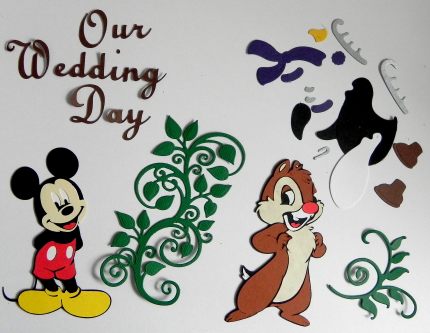
One of the first Cricut cartridges I purchased years ago was “Disney Mickey and Friends” which I planned to use for my Disney vacation scrapbook pages.  I excitedly cut out the pieces for a few of the characters just to see how they’d look (pictured above) and realized very early on that I may have bitten off more than I could chew!  All the tiny pieces!!!  How was I ever going to assemble enough of these characters to decorate multiple 12 x 24 inch layouts (for each of my 4 children’s scrapbooks)?!  The cartridge got tucked away, and I went on to work on “easier” designs with larger die cuts.  Then I started purchasing font cartridges which also involved adhering small pieces to my pages.  I was determined to figure out a way to use these beautiful (if not small and skinny!) elements on my projects without going nuts or making a mess!


I tried a number of different products and methods and eventually discovered 2 items that I use together that have made adhering these elements to my work a breeze!

***

The first item I use (for paper elements) is Scotch Removable Tape.   It allows you to pick up your elements and place them on your project without ever touching them.  This is particularly helpful when there is glue on the back of the pieces!  This product works great because it is clear so you can see through it to make it easier to place your elements exactly where you want them (as you’ll see below), and you can use one piece of tape over and over so the roll lasts a long time.

removable tape

***

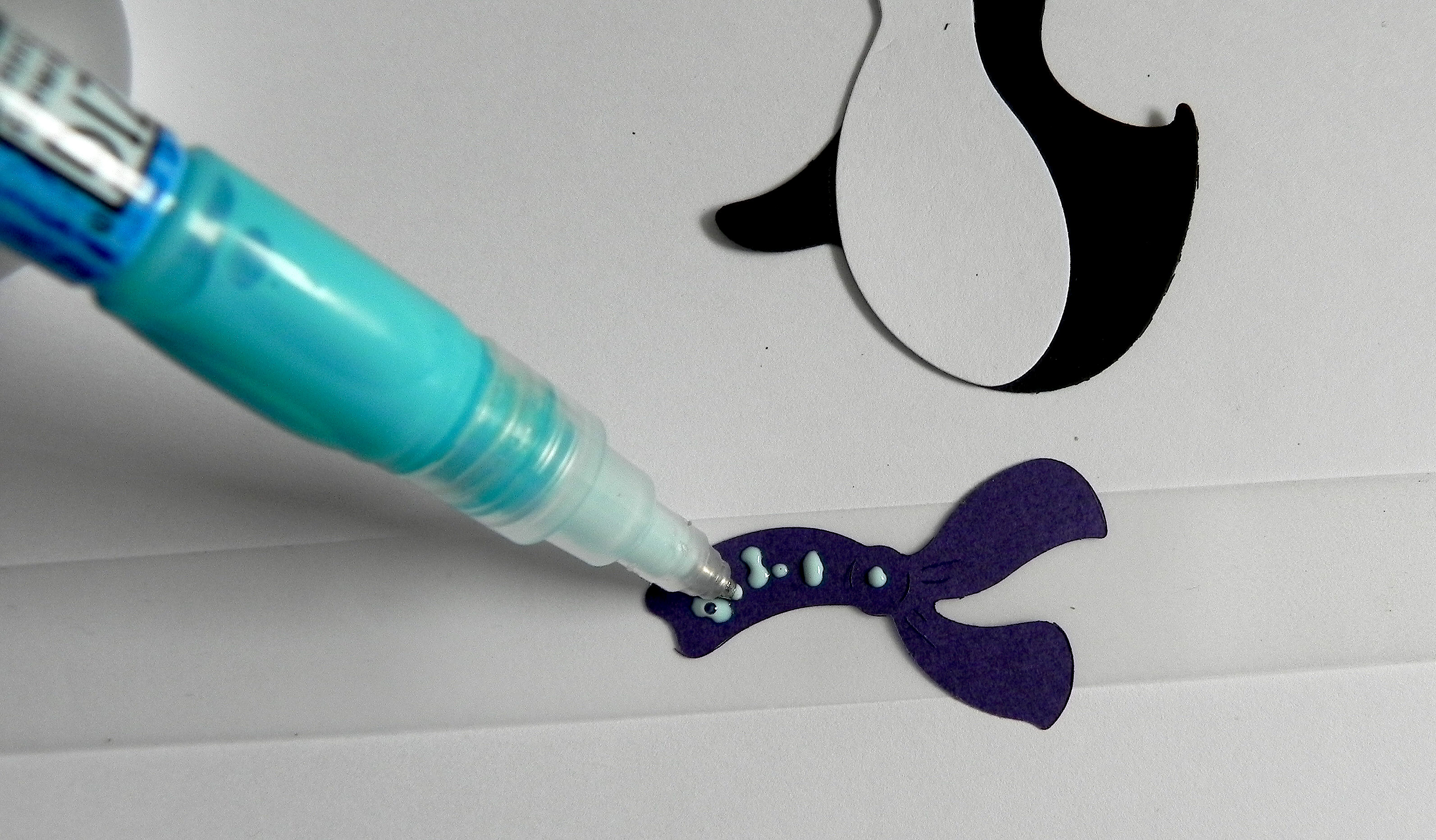
The second item is glue that can be applied in tiny amounts and with precise placement.

I use a glue pen.  Originally, I used the Creative Memories Precision Point Adhesive Pen (which I think is no longer available?), and have since started using the Zig 2 Way Glue pen.  It looks like a pen and has a fine ball point.  You can squeeze or roll just the right amount of glue that you need with perfect placement.  This glue can be used two ways. Use it when it’s blue and wet for a permanent bond or let it dry clear for a few moments to get a temporary bond.

azig 2 way glue pen

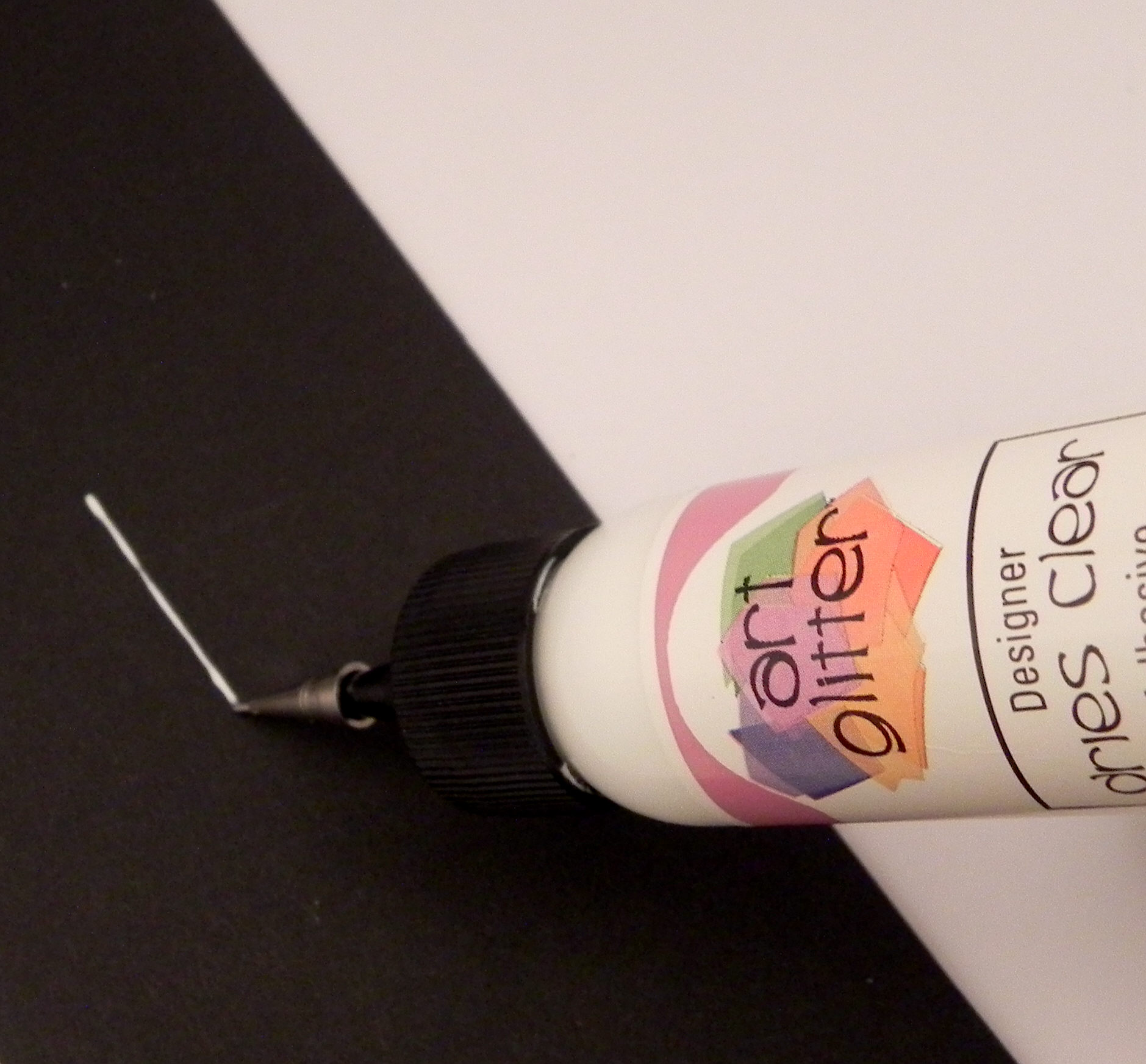
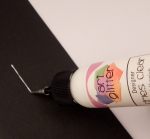
Another type of glue I like is Art Glitter Designer Glue  with optional metal tip that I talked about in a previous post (HERE).  The metal tip makes applying small amounts of glue very easy, as well.
ccDSCN9276

Any glue will work as long as you can apply tiny dots or lines of glue to your project.


Here’s how it’s done:

Let’s look at an example of paper piecing a character.

020 DSCN8334

All the pieces (big and small) can be adhered the same way AND WITH THE SAME PIECE OF TAPE.  I’ll use the scarf as my example.  To adhere the scarf, place it on the table and place a piece of removable tape across the top.   Make sure the tape extends past both sides enough that you can hold the tape without touching the scarf.

030 DSCN8352

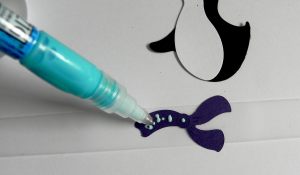
Flip the tape and scarf over and place it on the table.  Use your glue pen to apply your glue to the back of the paper.
031 DSCN8354

Pick up the tape on both ends, and flip it over.  (Thanks Kelly, for “lending” me your hands so I could take the photo!)
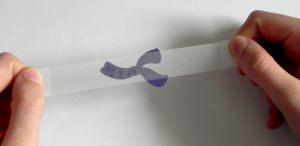
032 DSCN8414

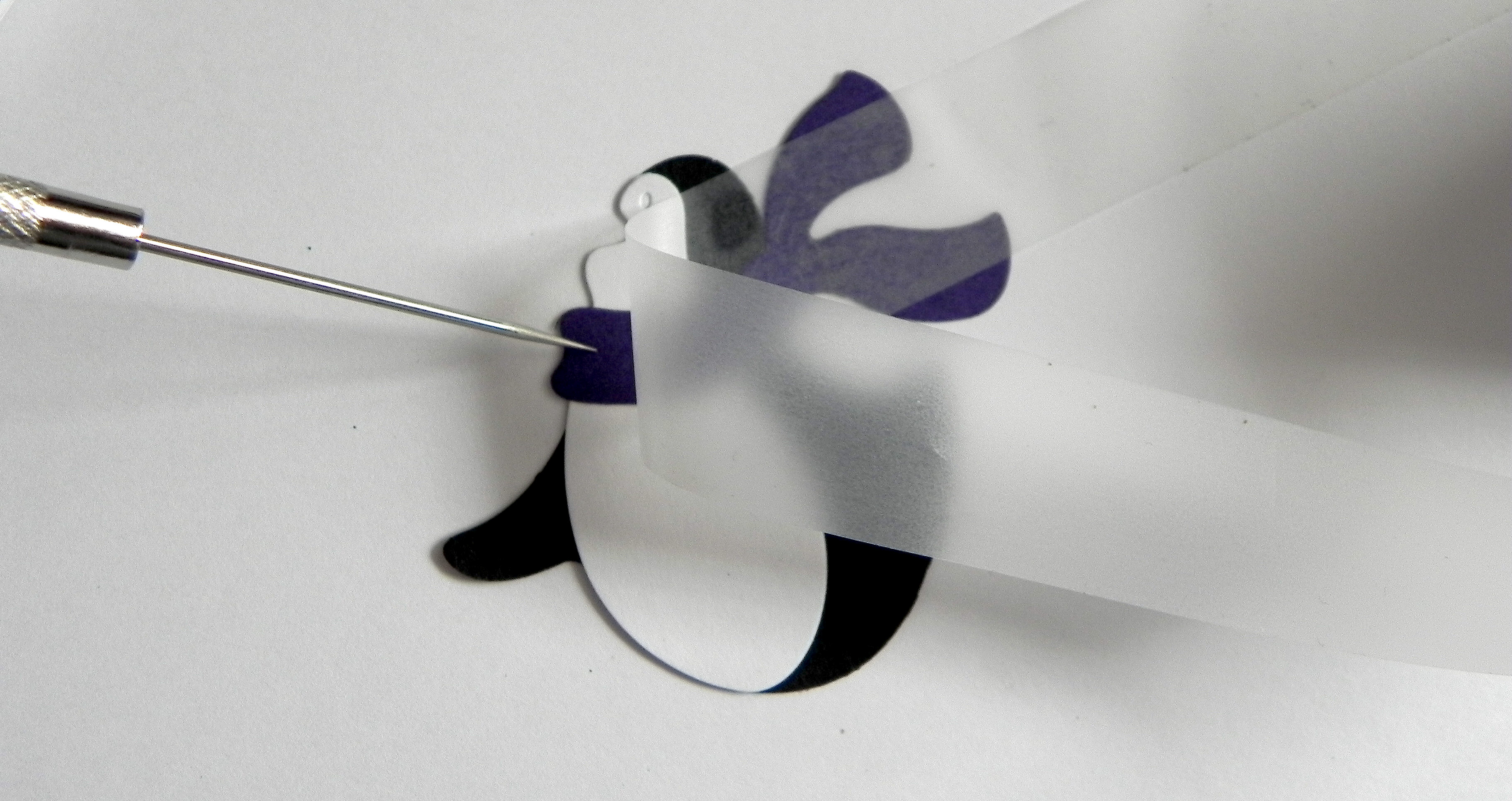
Hold it over the penguin’s body where you’d like to adhere it.  Because the tape is clear, it is really easy to see where to place it!  Once you are happy with the placement, push it onto the body as if you are taping it in place.

033 DSCN8356

Carefully remove the tape.  If necessary, hold the scarf in place with your finger or a pointy tool like a tooth pick or paper piercer while you remove the tape.

034 DSCN8357

The scarf is in place without getting a spec of glue on your fingers or anywhere on your project except where you wanted it!

035 DSCN8359

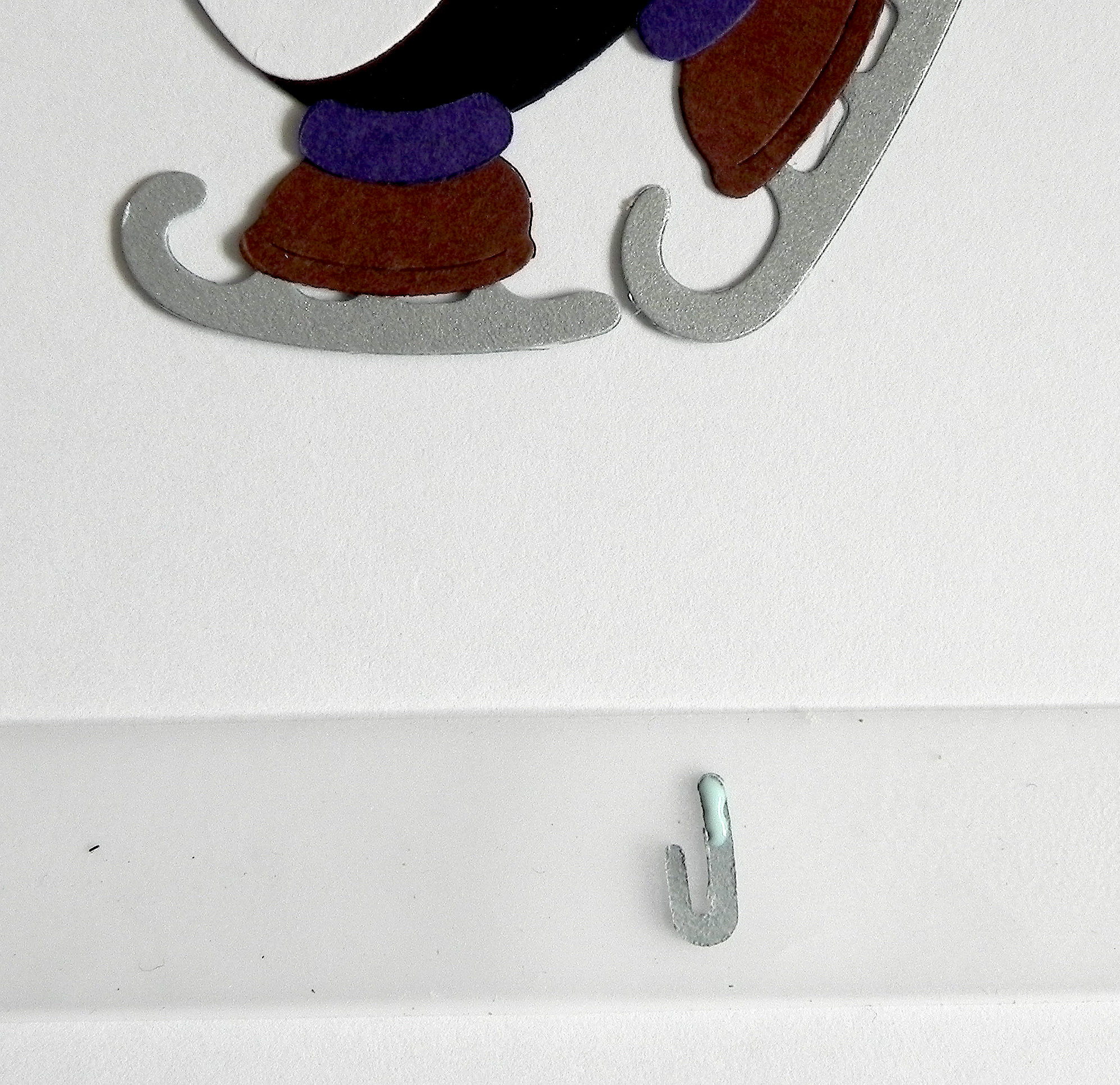
This method works especially well for tiny pieces:

040 DSCN8367   041 DSCN8368  042 DSCN8369

And here is the adorable penguin all paper pieced together:

050 DSCN8376

(He was made with the Cottage Cutz Skating Penguin die.)


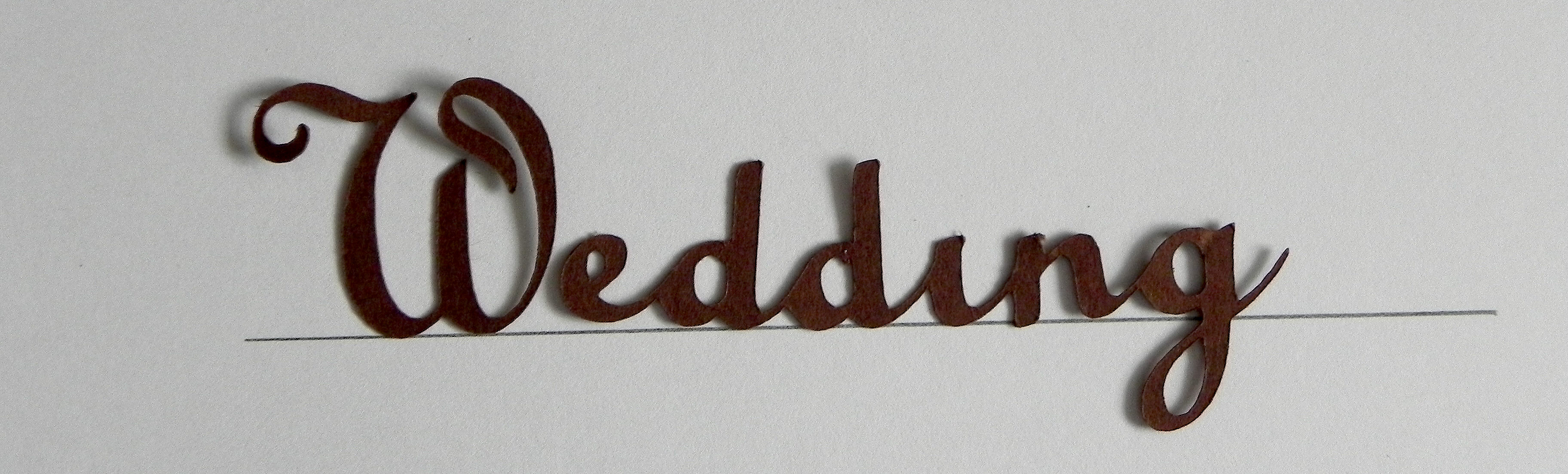
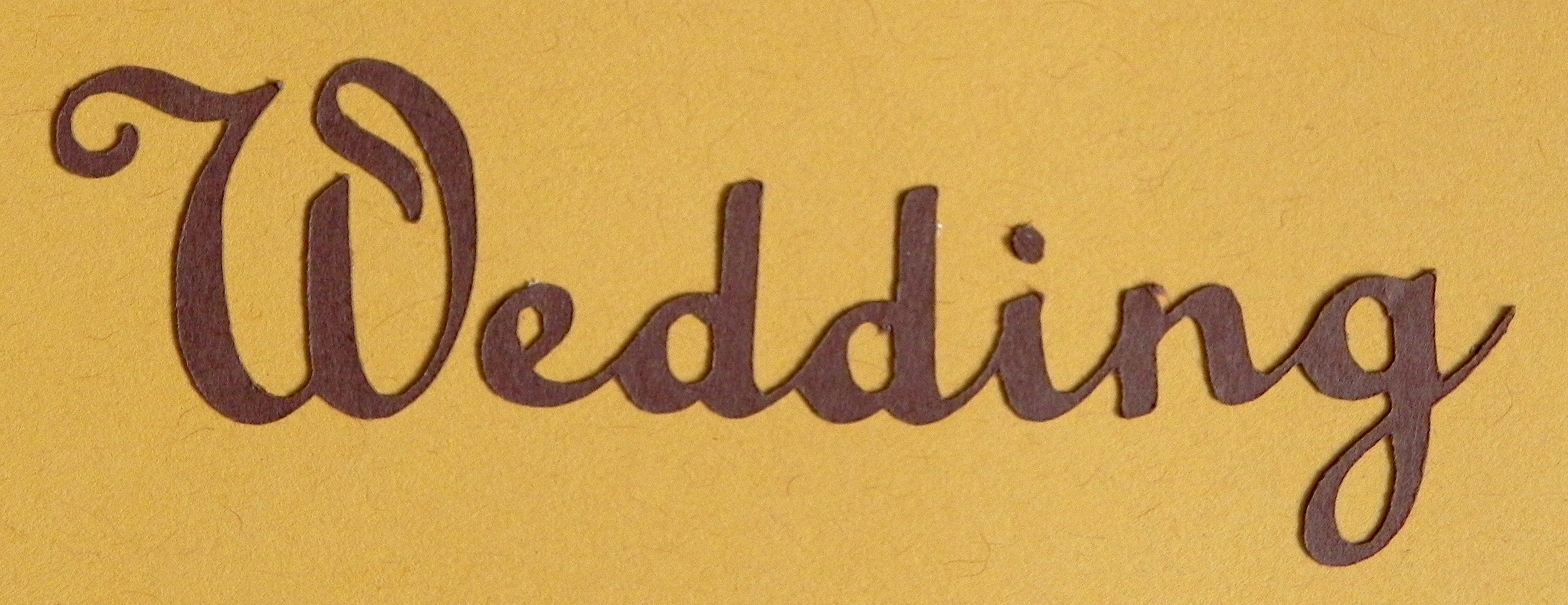
Now, let’s look at an example of something very delicate and thin like die cut lettering.  I placed part of this scrapbook page title on a scrap of paper with a line to make sure it’s straight.  For this example, the “W” was cut separately from the rest of the lettering, but it needs to be placed properly as part of the word.  (The dot over the “i” will be added last.)

060 DSCN8377

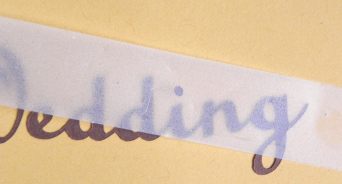
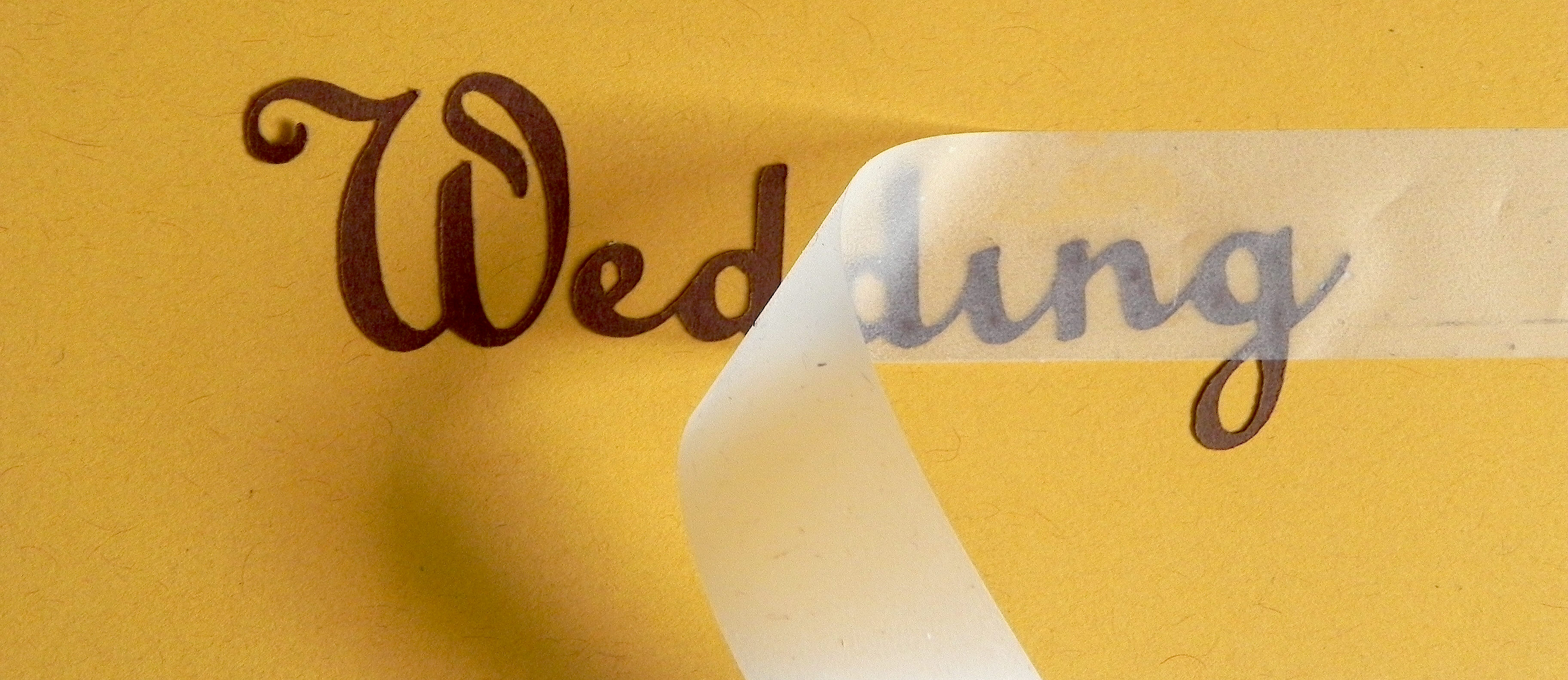
Place your piece of removable tape over the whole word.


I noticed that the second “d” is a bit crooked so I straightened it out on the tape.
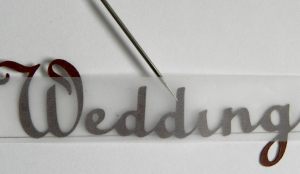
062 DSCN8379

Once you are happy with the placement on the tape, flip the tape and lettering over, and apply the glue.  These letters are extremely thin so use tiny dots of glue.

063 DSCN8383

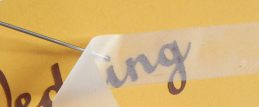
Hold the tape on both ends, flip it right side up, and hold it over project to figure out where you want to adhere it.  Once you’ve found the perfect place, push it down and “tape” it in place.  (I’m using a scrap for my example.)

064 DSCN8384

Carefully remove the tape.

065 DSCN8386

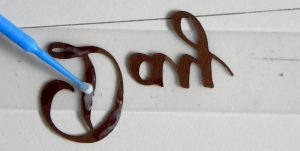
Now add the dot over the “i” in the same way.

066 DSCN8387   067 DSCN8388

068 DSCN8390   069 DSCN8393

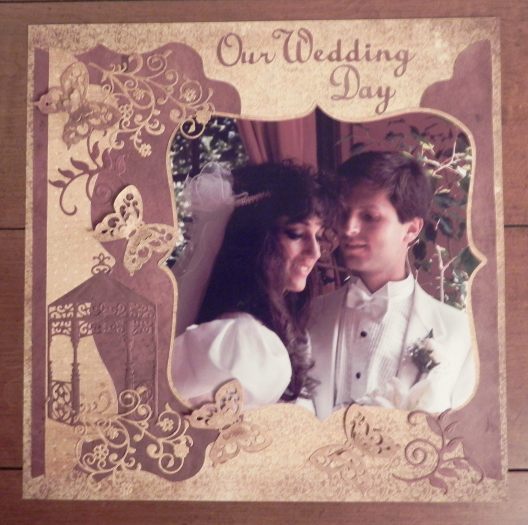
The finished project:

aDSCN7680

The flourishes and gazebo on this page were adhered using this method as well.


I personally prefer the glue pen, but…

An alternative for adding the glue to your elements is to use disposable micro brushes (with whatever glue you choose; I use the Ranger Matte Multi Medium because it doesn’t dry shiny if you get some on your project by accident. But any glue will do).  I’ve seen these brushes marketed as dental tools, beauty tools to adhere eyelash extensions, and on craft sites online.  (The craft sites tend to be more expensive.)  They come in a variety of sizes. HERE is a link on amazon for the ones similar to those pictured below.  (I have used the blue ones from Simon Says Stamp, and I just received my order for these blue ones below.  They appear to be EXACTLY the same, but I got 4 times more for the same price when the cost of shipping  is taken into account.)  Search for the best price and size that suits your needs/taste.

micro brushes

3 DSCN8396


In addition to using glue pens and/or glue, I sometimes use glue dots on some of the heavier, non-paper elements.


I LOVE the removable tape!

In addition to making it easy to adhere tiny pieces to my projects, I find it particularly useful when adhering multiple letters or elements that I’ve worked hard to place just the way I want them but still need to pick up to glue.  The tape keeps everything in place relative to the other pieces while the glue is added (like the “W” with the rest of the word in the example above).  I use this method a lot for titles on scrapbook pages.

I also love that you can use and re-use the tape.  I’ve done whole scrapbook layouts at a crop, stuck the piece of tape I used on the side of my tape dispenser when I was done, and used the same piece a month later at my next crop!  Eventually, it loses its stickiness as paper fibers and dust stick to the piece, but that could take a while!


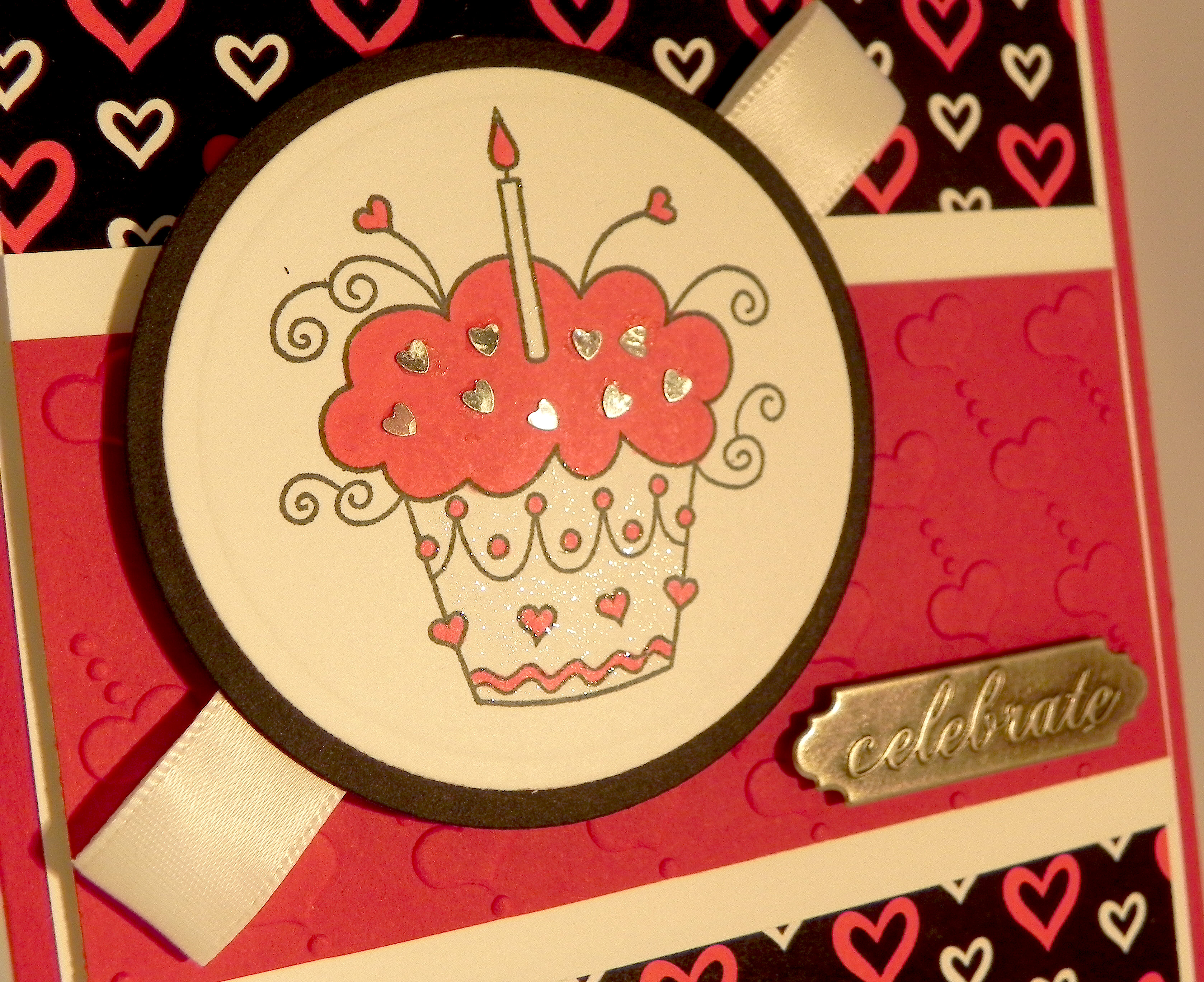
The removable tape works great with paper elements.  However, for things like sequins, gems and other tiny non-paper embellishments (like the tiny hearts on the project below), I find that the tape isn’t strong enough to hold these pieces.

tDSCN7508

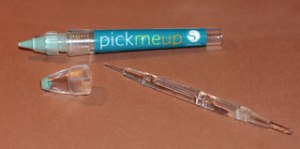
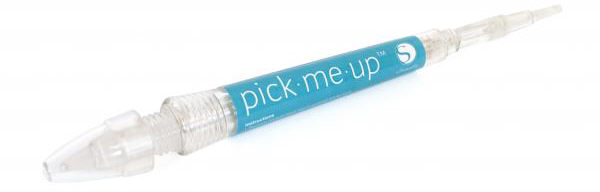
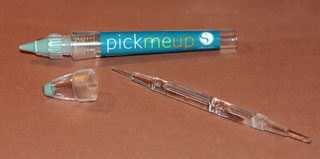
For these elements, I like the Silhouette Pick-Me-Up tool.  One end has a tacky substance on it that allows you to pick things up.  The other end has a removable tool that has two ends that allows you to push the item off the tacky end and onto the adhesive on your project or to push the item in place. (You can see this tool HERE at amazon.com.)  I found a “review” with instructions on how to use this tool online HERE that you may find helpful.
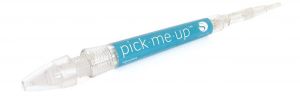
aSilhouette Pick Me Up Tool 1  Silhouette Pick Me Up Tool 2

(You can use this for paper as well; I just prefer the tape!)


One final tip:

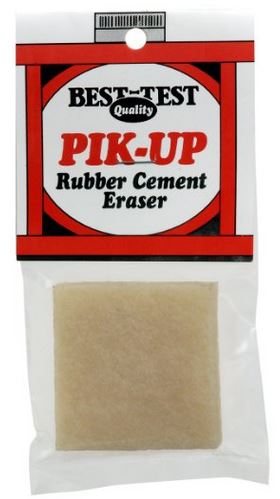
If you should happen to get glue/adhesive on your project where you don’t want it, I have found the best way to get rid of it is with a rubber cement eraser.  There are a number of brands out there; HERE is a sample of one I found on Amazon.  Just carefully “erase” the blobs away!  (I erase the excess glue right away while it’s still wet.  Just be careful not to rip the elements you’ve glued in place.  Don’t rub the eraser back and forth.  Instead, rub in one direction, lifting between each stroke.)  It works great for removing mono-adhesive, Xyron adhesive, glue dots ….. just about any adhesive that may stray!

eraser


Hope all this helps with mess-free, hassle-free sticking!!

Thanks for checking out my post!

This content uses referral links as described in the disclosure policy on my sidebar.
Copic Markers that I like for Caucasian Skin Tones

Copic Markers that I like for Caucasian Skin Tones

cDSCN8811.jpg

The question was asked on StampTV:  What Copic Markers would you use for Caucasian skin tones?  (Sadly, this site is no longer active.)

Let me start out by saying that I am NOT a Copic Marker expert!  I’m still trying to figure out skin tone combinations, too!  And I still need a lot of practice coloring and shading skin, but…

Copic offers whole classes on coloring skin and hair.  Click HERE for a link to their site.  (I took the “2014 Copic Color Along: Whimsical Faces and Hair” class taught by Cindy Lawrence, and I really enjoyed it and learned a lot!)  There are so many combinations (and variations based on how much ink you lay down) so answering the question is really tough!

Annie’s Paper Crafts has a book called Copic Coloring Guide Level 3:  People with some suggestions on coloring all types of skin tones.  (You can check out the book HERE on amazon.com.)  These are some of their suggestions for Caucasion skin tones:  The E0 family is peachy or pinkish and good for children, pale Caucasian or sunburned skin.  The E2 family is more brown or gold and good for tanned Caucasian skin.  And the E3 family is reddish and is also good for Caucasian skin (and several other types).  Having said that, blending from different groups often gives the best results!  You really just need to pick a few to blend and see what you like.  Try comparing your ink colors to a photo with a skin tone you are trying to duplicate.  Here is a link to the Copic Color Chart, but the colors on the computer may not be accurate!  The best thing to do is to create your own color chart with the actual pens.

Take the age of your subject into account when choosing colors as skin changes as one ages.  Young (Caucasian) skin often has peach or pinkish tones.  Young Adult skin tends to become more golden brown with more distinct shadows.  Older adult skin is different still.  It often has yellow undertones, more shadows with deep wrinkles and creases, and may appear more blotchy.

In addition to choosing the markers, one also needs to have an idea of how to shade the image for a more realistic look.  (This is the hardest part for me!!)  The book I mentioned above deals with this as did the instructor in the class I took.

I’m not sure how these will show up on your computer (they are a little more peach and a little less blotchy in real life than what I am seeing on my screen!), but here are a few of MY favorite combinations on samples that I colored:

ppp skin sample 1

(E000, E01, E31, E25)

 cc skin sample 2a

(E50, E21, E13)

cDSCN8811

(E000, E01, E35, E93)

 As I said, I am not an expert and still need a lot of practice, but these are a few of the combinations I tried and liked.

(The above card called “Let’s Have Pie!” was originally posted in my StampTV Gallery.  Sadly, this site is no longer active.)

Thanks for checking out my post.

This content uses referral links as described in the disclosure policy on my sidebar.

Birthday FLowers

Birthday Flowers

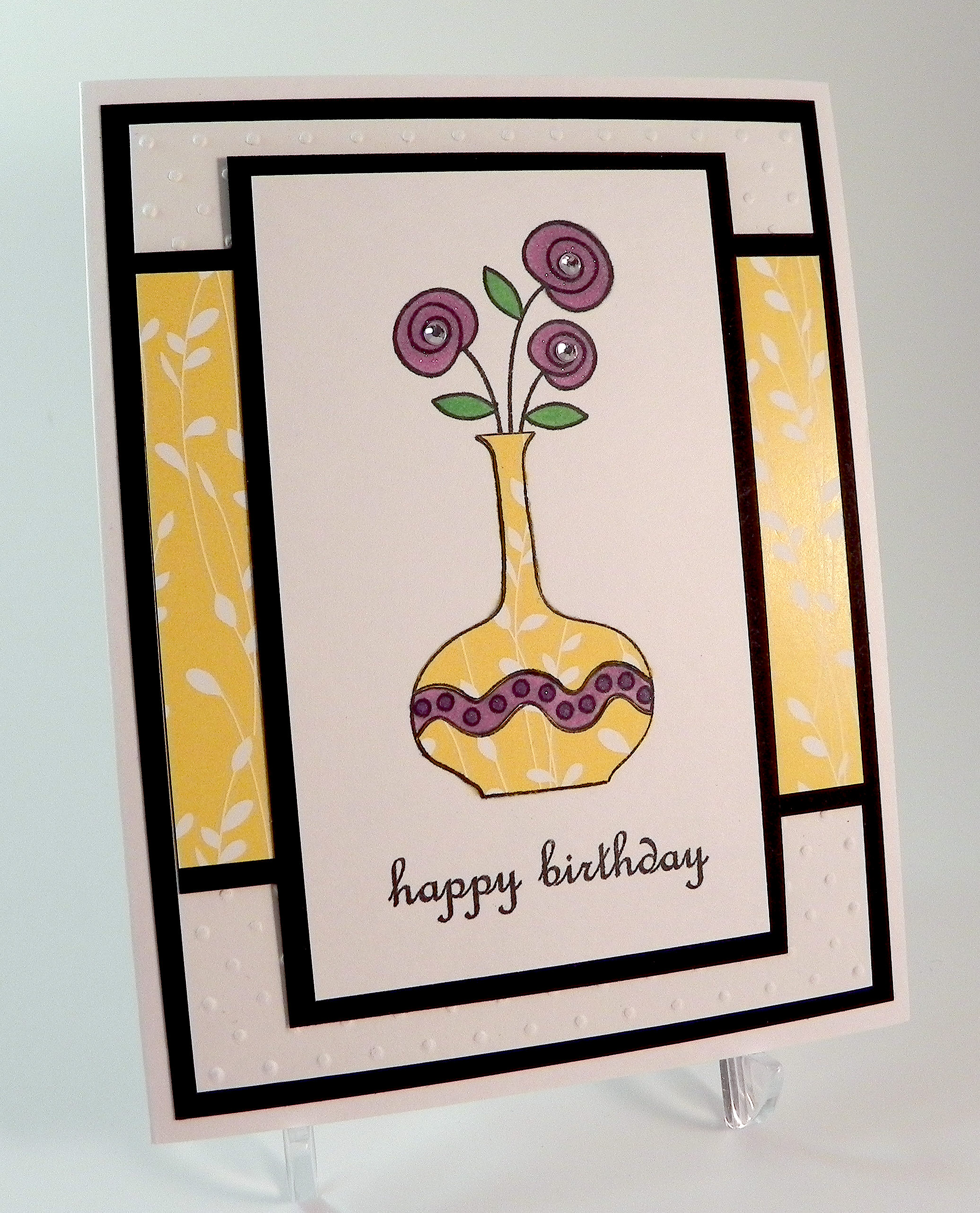
Birthday Flowers Yellow wwwwDSCN8252.jpg

This card is being entered in the StampTV MIUM Challenge “Combine & Color” where we are to:

  • Use a combination of two different Gina K Designs stamp sets. One for the focal image and one for the sentiment.
  • Have a focal image that can be colored. The image you choose can be colored with whatever you choose.

(Sadly, this site is no longer active.)

This card is also being entered in the Mod Squad Challenge “Spring Forward” where we are encouraged to use flowers, birds, butterflies, hummingbirds, etc. and bright, beautiful colors to make a Spring themed card.   (Sadly, this site is no longer active.)

For this card, I used stamps from the Gina K Designs “A Little Something” (the vase of flowers) and “Sweet Tweets” (the greeting).  The images were stamped with Memento Tuxedo Black ink.  I colored the image with Copic Markers (Y23, YG09, V15, and V17).  I also did a little paper piecing to add color to the vase.  In addition to black and white card stock, the patterned paper I used is from the Gina K Delicate Essentials 6×6 paper pack.  I also used the Cuttlebug Swiss Dots embossing folder, a clear Wink of Stella glitter brush pen (hard to see in photo), and a few self sticking rhinestones.

I ended up doing a second card as well by mixing up the colors a bit.  Here it is:

birthday flowers purple xxxxDSCN8237.jpg

I’m not sure which I like better!

Thanks for checking out my card projects!

This content uses referral links as described in the disclosure policy on my sidebar.
Quilled Iris

Quilled Iris

w Quilled Iris DSCN8105

It had been a while since I had done any quilling, so I thought I’d make a quilled card to enter in this week’s Mod Squad Challenge called “Spring Forward” where we are encouraged to use flowers, birds, butterflies, hummingbirds, etc. and bright, beautiful colors to make a Spring themed card.  (Sadly, this site is no longer active.)

I sponged Gina K Wild Lilac ink on white card stock and glued my quilled iris and decorative swirls on this panel.  Then, I created a recessed frame with thick fun foam and Spellbinders oval dies.

zDSCN8176

The printed paper is from a digital set I bought from a store on Etsy called The Pixel Posy. The set is called “Vintage William Morris digital paper designs//Art Nouveau background paper pack//Blue and purple flower digital paper.”   HERE is the link.

This card used a number of quilled shapes:  teardrops, half circles, marquises and wheatears (leaves).  I used instructions by “Quilled Creations” to create the iris.


I had made a few other quilled cards in the past that I had posted in my StampTV Gallery.  (Sadly, this site is no longer active.)  I’m including them here as well.

Quilled Sympathy Card DSCN5557

This sympathy card was the first one I did back in May 2013.  I used a basic marquise shape for the flowers and leaves.  The sentiment was from the Gina K Designs “All Occasion Tags” Stamp set.  The tag was cut with a die from the Spellbinders Grommet Tag set, and the embossing folder is Darice Corner Scroll.

I used the same embossing folder and marquise shapes to create two more – a wedding card and a confirmation card.

Quilled Wedding Card DSCN5602.jpg

DSCN5609

The sentiment on the wedding card is from the Gina K Designs “Always and Forever” duo stamp set.  I purchased the stamp for the confirmation card on Ebay, and it is unmarked so I have no idea what company made it.

The next card I made was for a bridal shower.  I used teardrops to make the umbrella.

Quilled Bridal Shower Card DSCN5666.jpg

The bride and groom stamp is called “Happy Couple” by Stampendous!  The greeting was done on the computer.  I used the Darice Stripe embossing folder on this card.


Quilled Creations makes a great tool called “Circle Template Board” that makes it easy to create consistent and perfectly proportioned quilled shapes. I also use their slotted quilling tool to roll the circles; the slot makes it easy to get the paper rolls started.

circle template board  slotted tool

I forgot how much I LOVE quilled designs; I will definitely need to do this more often!!

Thanks for checking out my card projects!

This content uses referral links as described in the disclosure policy on my sidebar.