Patriotic Snowman Ornament

Patriotic Snowman Ornament

Patriotic Snowman Ornament zDSC 4018

Here is one more ornament for the “2016 RubberHedgehog Ornament Challenge” which is going on until November 30, 2016. (HERE is this year’s gallery, and HERE are the 2015 submissions and winners.) Pop on over and check it out!

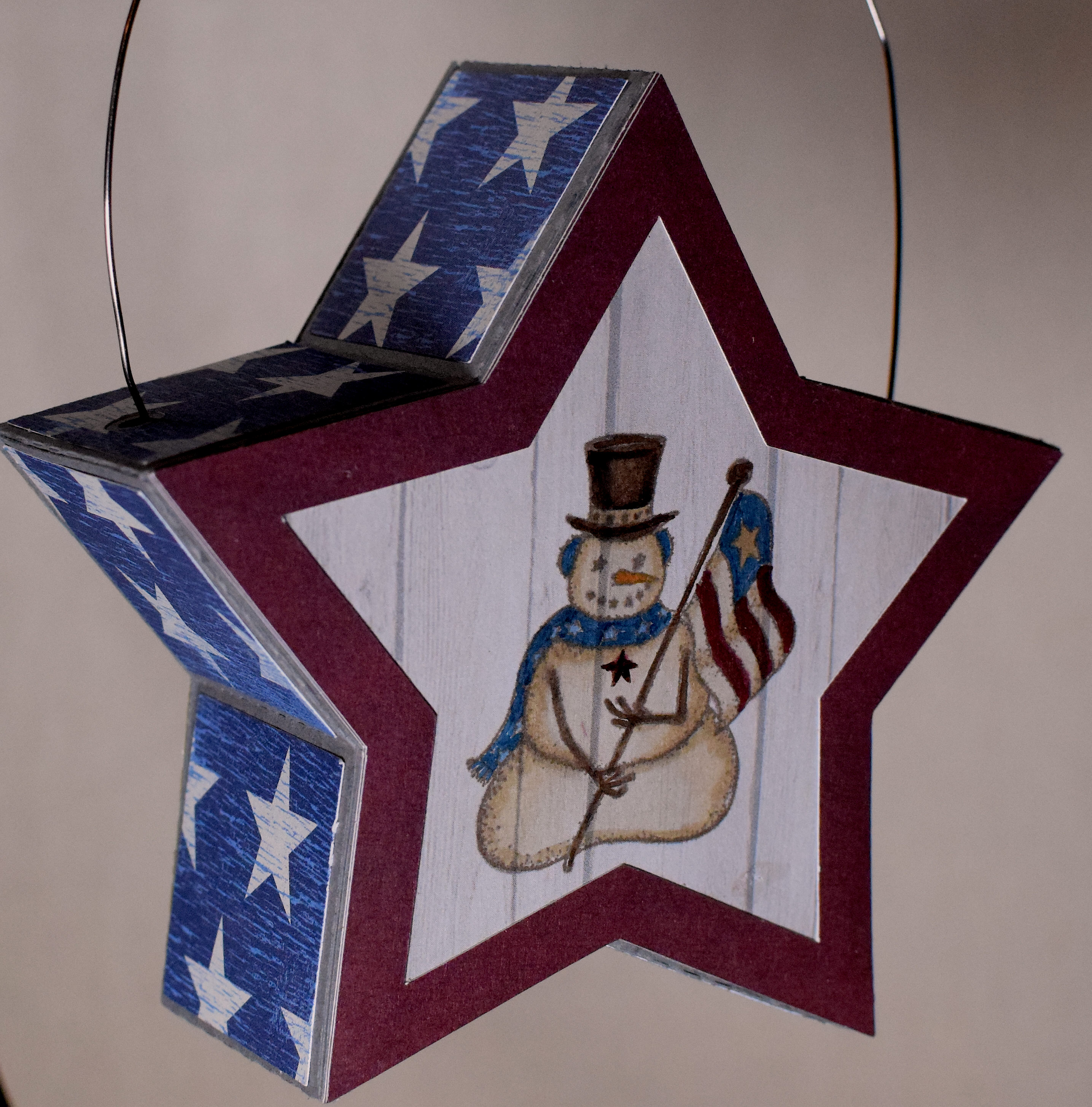
Any stamps used on the ornaments for the challenge must be by RubberHedgehog, and the stamp I used for this project is “Medium Patriotic American Snowman Rubber Stamp, With Flag” (Item: J-1402).

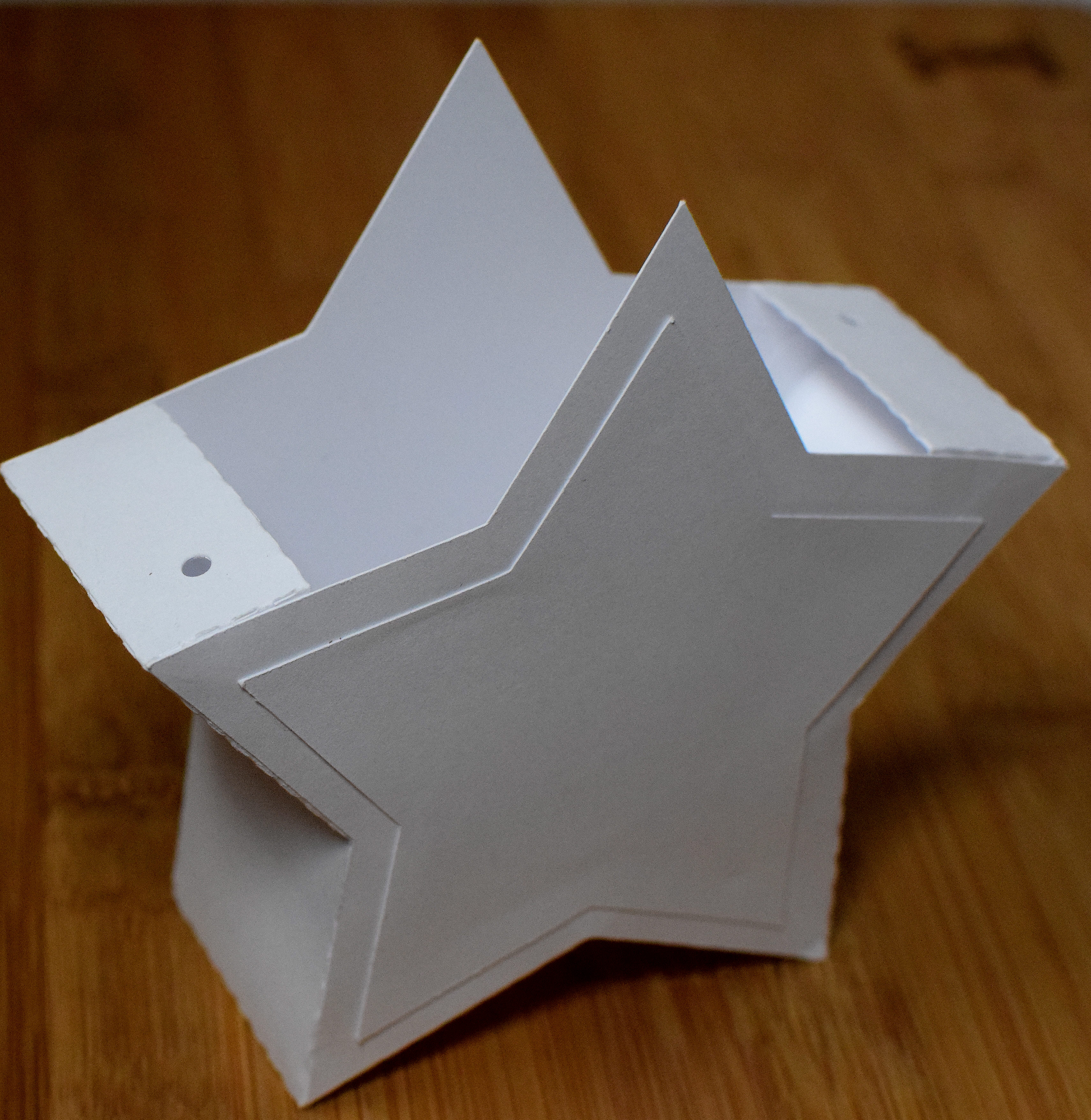
The 3D star was adapted from a file from the “Happy 4th” svg kit from SVGCuts.  The original file is a star-shaped lantern with an open top.  I closed it up which required creating new side panels.

wdsc_4036

The card stock and paper I used for the star was open stock “Dark Grey (item #991646) and The Paper Studio “Crackled Stars” (665976) from Hobby Lobby, and the red was from the DCWV  Double-Sided Patterns pack (0S-034-00039).

The image was stamped on the plain wood-grained portion of The Paper Studio “Light Bulb Strands” (1284082) printed paper with Gina K Charcoal Brown ink and colored with Copic Markers (R59/E18, B95, B97, E40, E41, E42, E43, E44, E47, Yr27, and the colorless blender).

20 gauge “gun metal” wire by Bead Landing was used as the hanger.

ydsc_4047

Thanks for checking out my project post!

This content uses referral links as described in the disclosure policy on my sidebar.

Window Scene Ornament

Window Scene Ornament

wDSC_4020 polaroid.jpg

Here is another ornament for the “2016 RubberHedgehog Ornament Challenge” which is going on until November 30, 2016. (HERE is this year’s gallery, and HERE are the 2015 submissions and winners.) Pop on over and check it out!

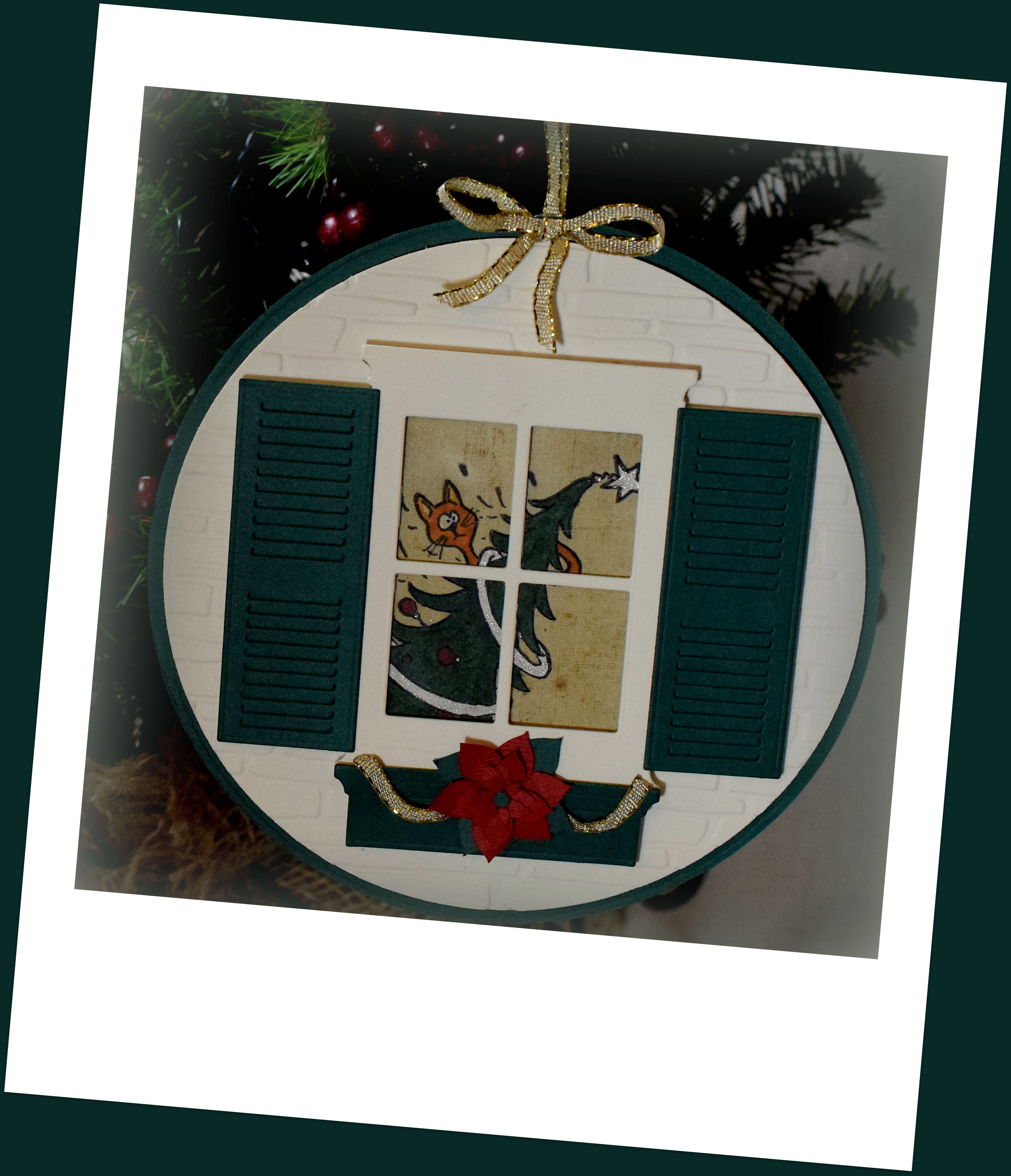
Any stamps used on the ornaments for the challenge must be by RubberHedgehog, and the stamp I used for this project is “Christmas Tree Cat” (item: K-10204).

I created a die cut for this image with my Silhouette electronic die cutting machine.  The image was stamped on the die cut (white card stock) with Memento Tuxedo Black ink and colored with Copic Markers (G28, R59, YR24, YR27, and E44) and a Sakura glitter pen.  The colored die cut image was then adhered to a piece of patterned paper from the “Signature Christmas” 6×6 designer paper pad by My Minds Eye.

The window, shutters and flower box were created with dies by Poppystamps, Inc.  (Small Madison Window, style no. 816; Small Madison Window Shutter, style no. 833; and Small Flower Box, style no. 823) and my Cuttlebug.  A piece of acetate was adhered behind the window and all these pieces were popped up with Scotch foam mounting tape.

The circle panels were cut with two dies from the We R Memory Keepers Nesting Circles die set, and the smaller one was embossed with the Spellbinders M-Bossabilities Bricks and Bark (EL-015) embossing folder (discontinued?).

The Poinsettia was cut with my Silhouette using a file from the “3D Wintergreens” SVG Kit by SVGCuts.

Card stock used was Recollections heavy weight ivory, Gina K Designs Christmas Pine, and a scrap of red I believe came from a value pack from AC Moore.  Gold “Celebrate It” wire edged ribbon (#18634) from Michaels was also used.

wdsc_4027

Thanks for checking out my ornament post!

This content uses referral links as described in the disclosure policy on my sidebar.


Decorating the Hut for the Holidays (Ornament)

Decorating the Hut for the Holidays (Ornament)
zDSC_3923 vignette.jpg

The “2016 RubberHedgehog Ornament Challenge” is underway, and submissions will be accepted through November 30, 2016. (HERE is this year’s gallery, and HERE are the 2015 submissions and winners.) Pop on over and check it out!

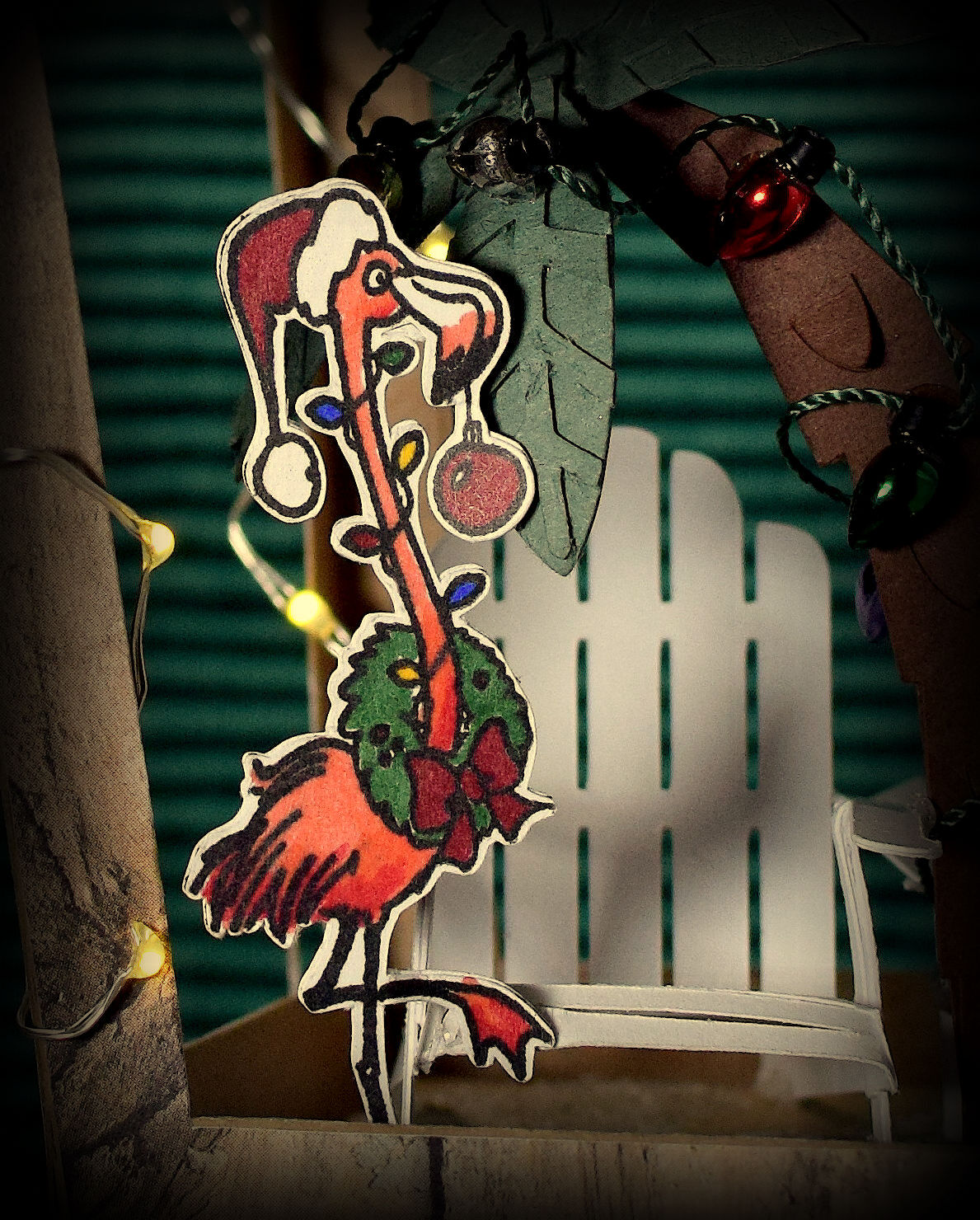
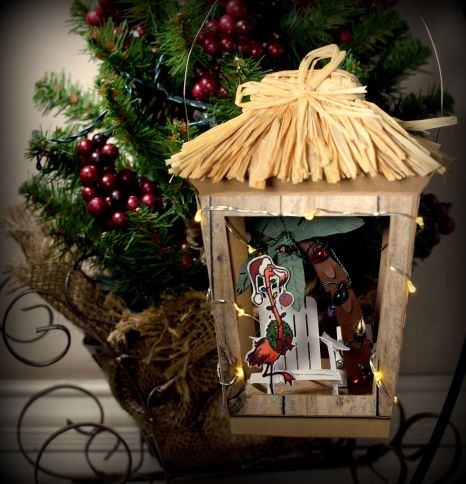
Any stamps used on the ornaments for the challenge must be by RubberHedgehog, and the stamp I used for this project is “Christmas Flamingo” (item: J-26311).

wdsc_3891-001-flamingo-image-vignette

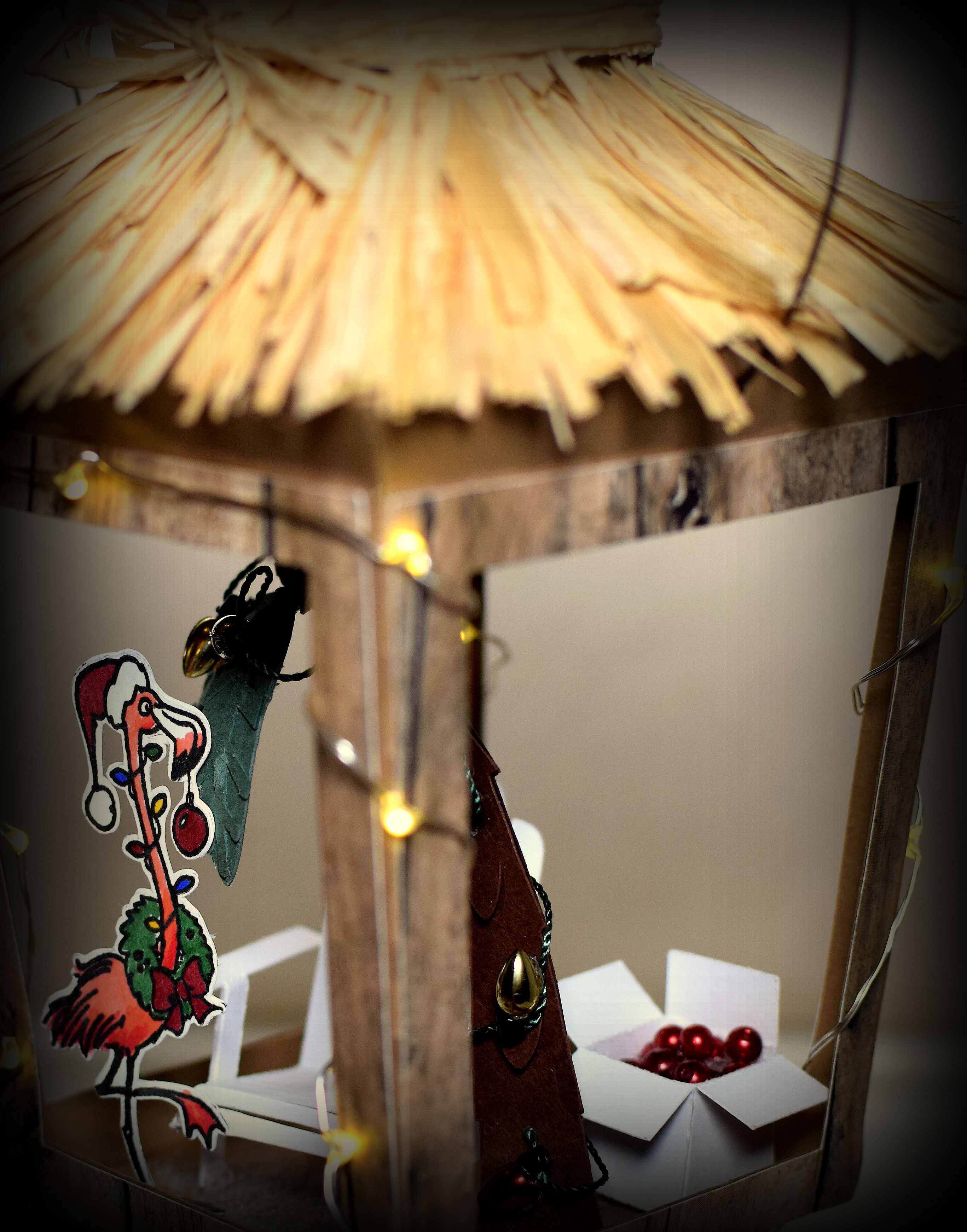
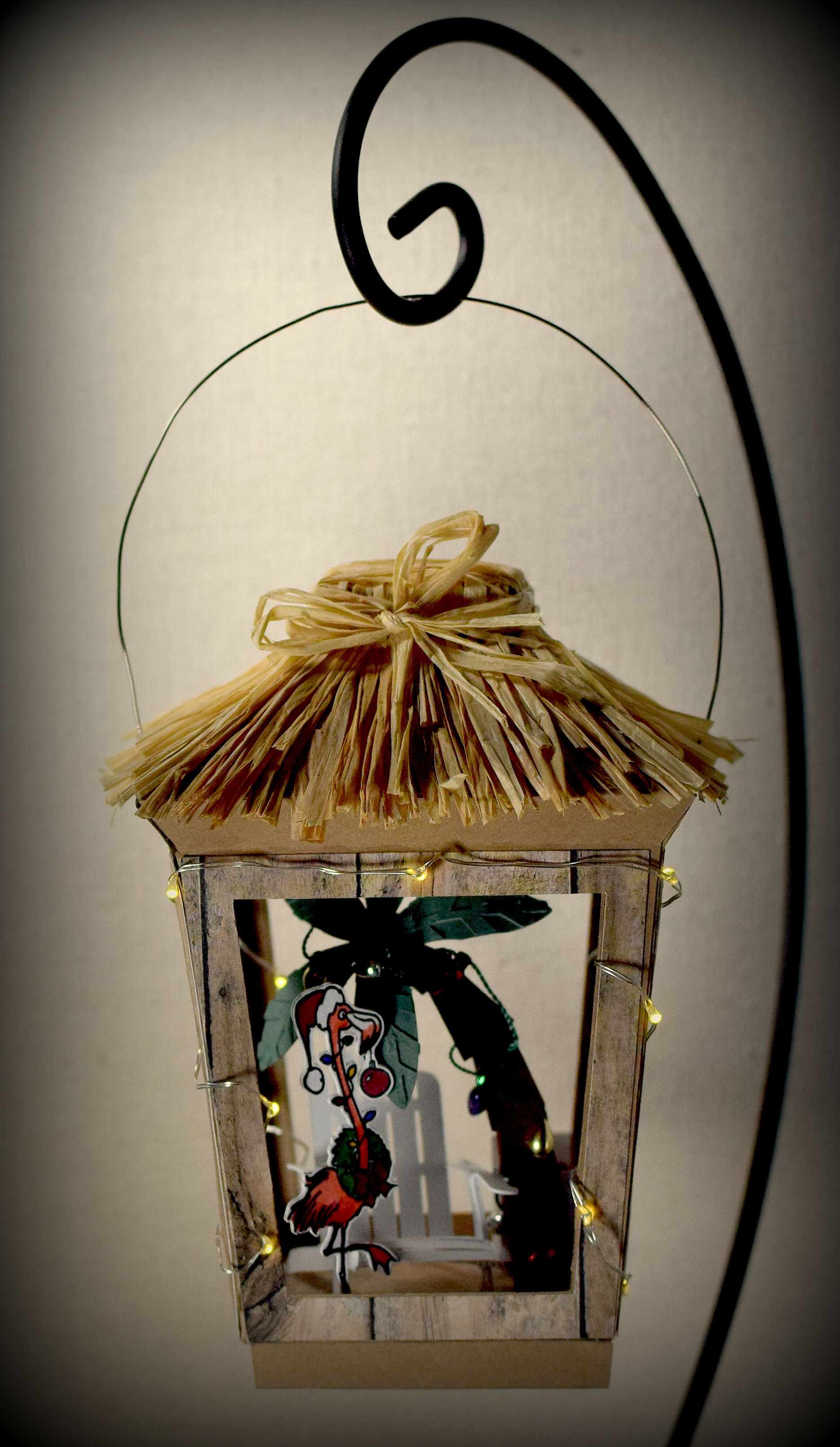
For this ornament, I started with the lantern svg file from the svg kit from svgcuts called Crisp Days of Fall.  The kit contains the cut files to make a lantern with fall leaves, but also provided is a plain panel to which you can add your own design so it can be made for a variety of occasions.  To make my beach hut, I used the plain panel file for three of the sides, adapted the back panel so it too was plain, and left the whole structure open.

My beach hut was cut from Recollections Kraft card stock with my Silhouette electronic die cutting machine.  I created a cut file for decorative panels for the sides and used “Wooden Fence (#154484)” printed paper from The Paper Studio (Hobby Lobby) to make it look like wood.  I used individual strands of raffia for the thatched roof, but if I were to do it again, I would make sure the raffia was natural and not rayon or some other synthetic, plastic material.  With this particular raffia, I could not get the glue to hold the strands in place and ended up using lots of double sided scor tape.

I created a cut file of the flamingo with my Silhouette software and stamped the image with Versafine Onyx Black ink onto the die cut.  Since the beach hut is open on all four sides, I wanted the back of the flamingo to also be stamped/finished so I did some mirror stamping on a second die cut.  To do this, I stamped the image, from the original stamp, onto a plain piece of gasket rubber and then stamped that image onto the back of the second die cut.  These two stamped images were colored with Copic Markers (R14, R29, G28, R59, Y17, B29, and E74) and a wink of stella pen (for the white) and glued together so the flamingo showed on the front and back.

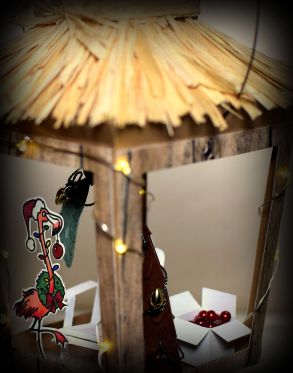
The Adirondack chair and box of ornaments (hiding behind the tree) were both portions of svg files I purchased from 3DCuts.  These were cut from white card stock with my Silhouette and assembled. Here is a better view of the box of ornaments:
wdsc_3826-001-vignette-cropped

The palm tree was part of the “Palm Tree 3D Nut Cup Place Card (design #63447)” file by Snapdragon Snippets that I purchased from the Silhouette Store.  I only used the palm tree, and resized it to fit in my ornament.  For the tree, I used brown and green card stock (both unmarked) I had in my stash.

Additional embellishments for my ornament included Mini Tree Treasures “bulb garland” by Nicole (MTT437) that I found with the decorations for the mini Christmas trees at AC Moore (used on palm tree), small red beads by Designs by Me (ornaments in box), battery operated micro LED lights (on outside of hut), and a bit of Ocean City sand scattered and glued to the floor of the hut.  20 gauge “gun metal” wire by Bead Landing was used as the hanger.

wdsc_3791-vignette

Thanks for checking out my project post!

This content uses referral links as described in the disclosure policy on my sidebar.

Banquet Table Decoration

Banquet Table Decoration

wDSC_2994.jpg

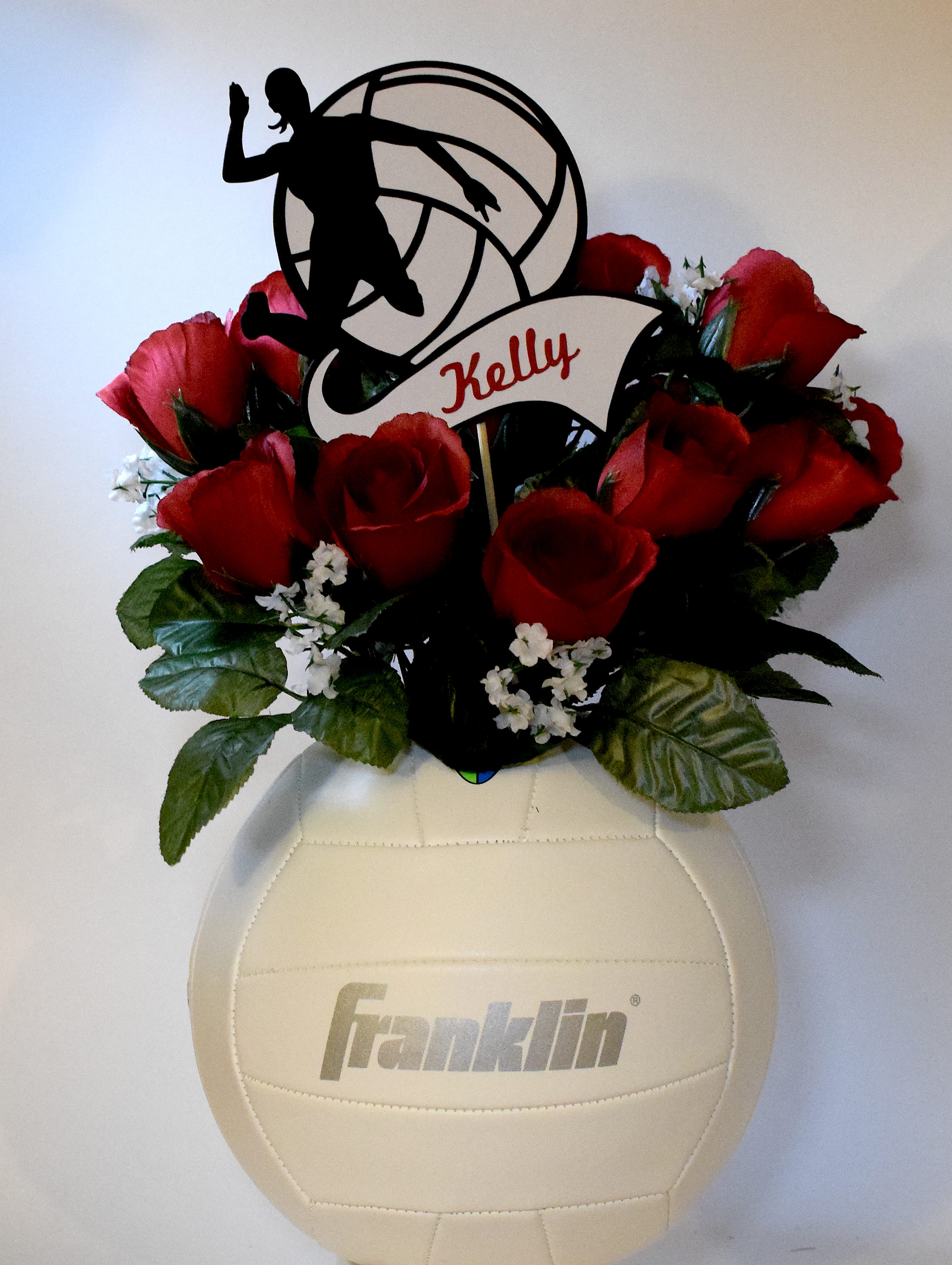
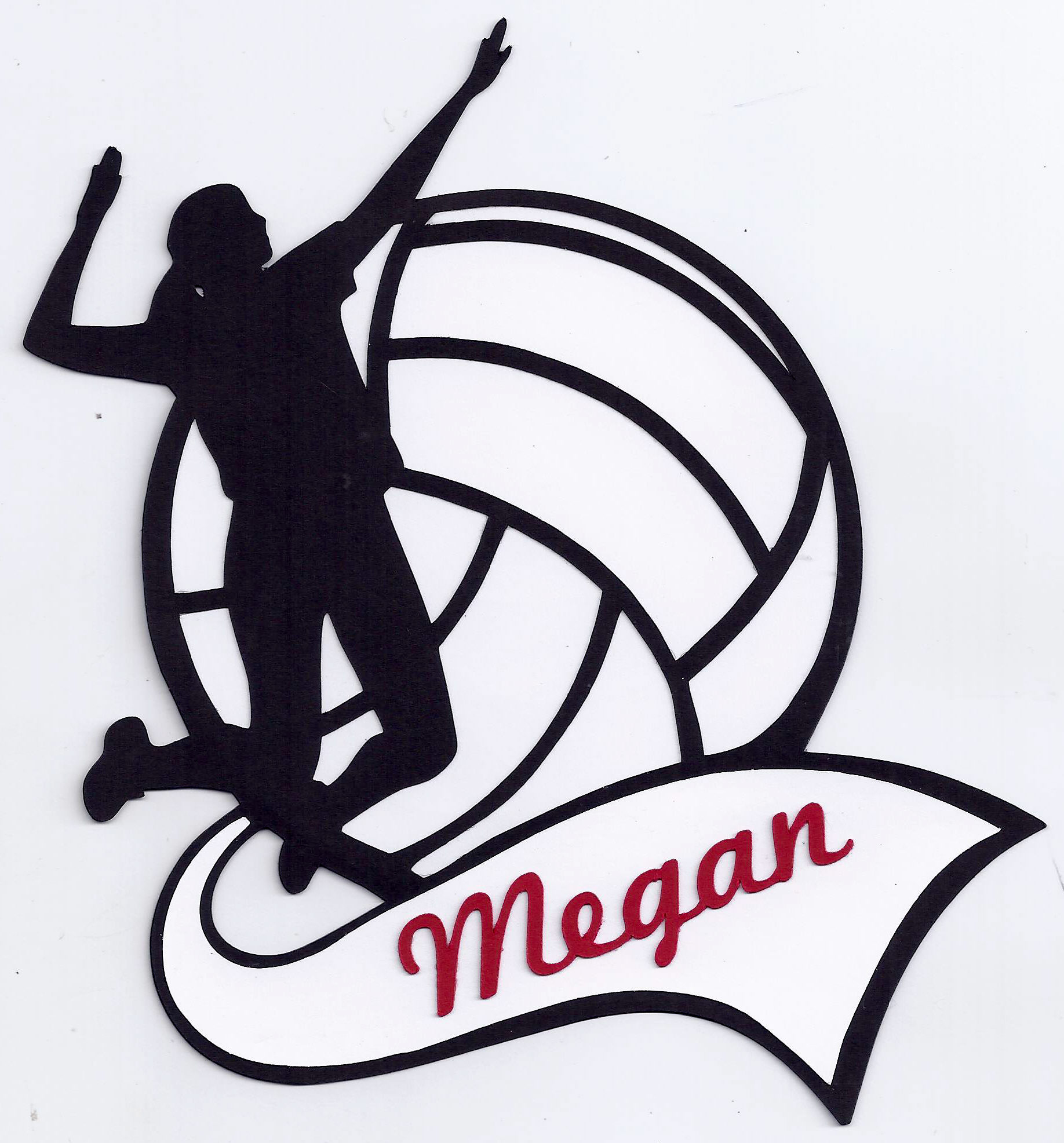
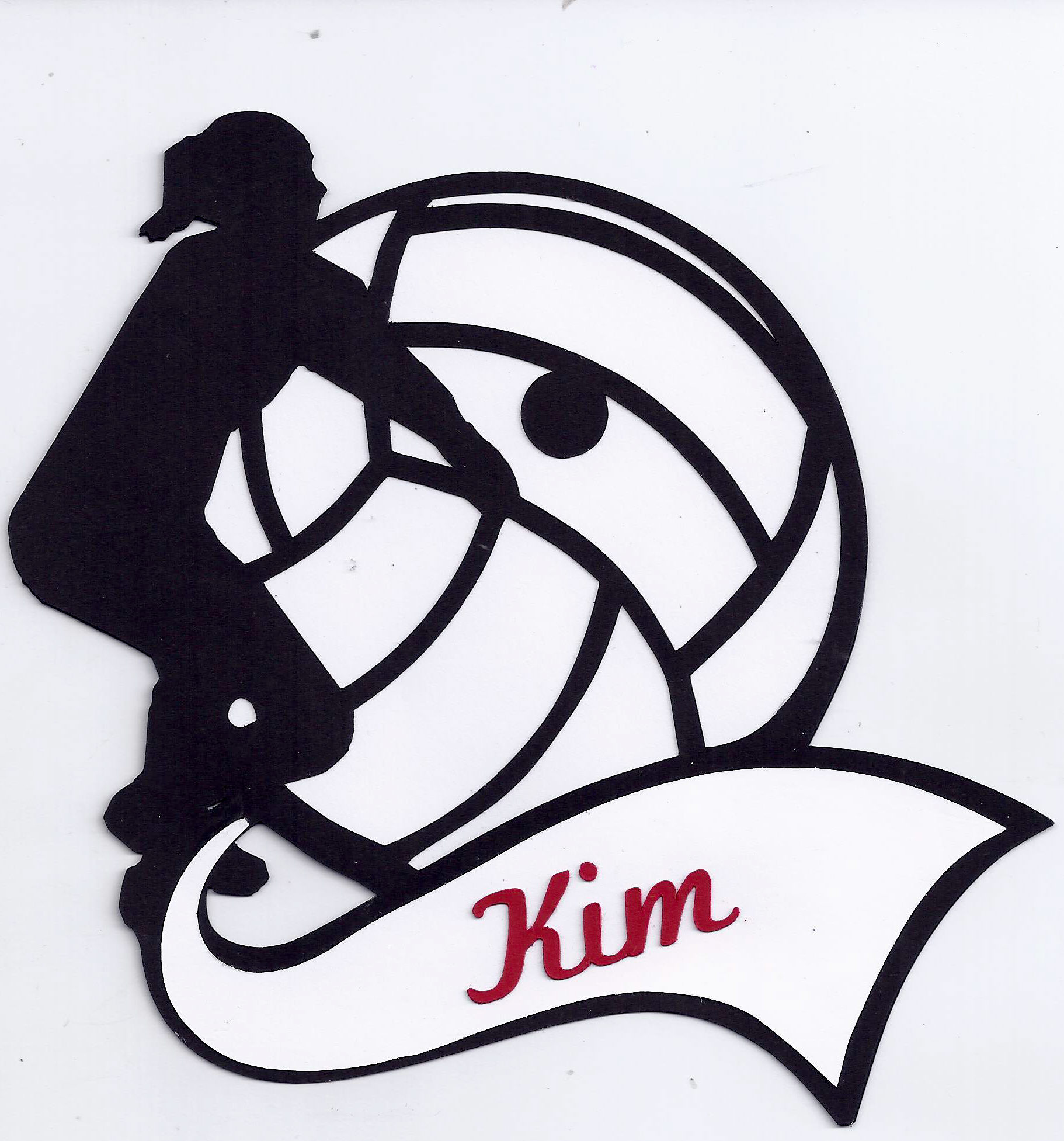
My daughter, Kelly, has played volleyball all through high school, and at the end of each season, the team has a banquet to honor the players and celebrate the season.  This year, the mom organizing the banquet asked me to help her with the centerpieces for the tables.  She had seen the idea of using a volleyball as the “vase” for the flowers (HERE) and wanted to put something in each one that had the name of each of the graduating seniors.  I created the die cut name picks with my Silhouette electronic die cutting machine.

I created 3 different styles with silhouettes of players either digging, hitting/spiking, or serving the ball. Here are samples of the other two:

serve-design-cropped   dig-design-cropped

I adapted the design from a basketball image I had seen (and purchased) HERE, and used the pennant from this image.  Two of the player silhouettes were from a file called “Volleyball Set (design ID #89100)”  by StudioIlustrado, and the volleyball image was from the “Volleyball Outline (design ID# 10762)” file by Snapdragon Snipets.  Both were purchased from the Silhouette store.  The dig image was from a google image and “traced” in the Silhouette software.  The names were cut with my Silhouette using the “text” option and the Marketing Script font.

I believe fresh flowers will be used on the evening of the banquet (in mid November), but I used silk roses for my sample.  I chose to do everything in red and white since those are the school colors.

The Mod Squad Challenge this week is “ABC”..where we are to create Anything But a Card.  (Sadly, this site is no longer active.)

Thanks for checking out my project post!

This content uses referral links as described in the disclosure policy on my sidebar.
Christmas Holly Tile Coasters

Christmas Holly Tile Coasters

Christmas Holly Tile Coasters yyyDSC_1213 cropped

Another coaster design…

These coasters were made with Premier Decor 4×4 Ivory Travertine tiles I purchased at Home Depot.  The images were stamped with Stazon Timber Brown ink and stamps from the Heartfelt Creations “Elegant Holly Swirls – HCPC 3339” set (retired?) and the Gina K Designs “Merry Little Christmas” set.  Then I inked the edges with a sponge dauber.

Using the reverse masking technique, I created a stencil of the holly leaves by stamping the image on a piece of scrap paper and hand-cutting/removing just the leaves .  Then I dabbed on Stazon Forest Green ink with a sponge dauber.  I used a foam eye shadow applicator (the pointy tip) to dab on red Stazon Blazing Red ink for the berries since hand-cutting a stencil for these tiny shapes was too difficult.

Once the ink was dry, I used a Tombow sand eraser to lightly sand the stamped images and edges to soften them up a bit.

I cut squares of cork , ran them through my Xyron sticker machine, and adhered them to the bottoms of the tiles so they would not scratch the table when used.  Each set contains 4 tiles.

The Mod Squad Challenge is called “Falling Leaves” this week, and we are encouraged to use a leaf or leaves on our projects.   (Sadly, this site is no longer active.)

Thanks for checking out my coaster project post!

This content uses referral links as described in the disclosure policy on my sidebar.