Thinking of You with Shaving Cream Background

Thinking of You with Shaving Cream Background

aDSCN9224.jpg

My daughter doesn’t really love paper crafting  😦  , but she LOVES doing the shaving cream technique and asks me to do it almost daily!!  I decided to use this technique on the background panel for this card.  I have to admit, the results are pretty cool!  And it was fun crafting with Kelly!


This card is being entered in the Perfectly Rustics Design Challenge No. 33 – Colour Combo.  For this challenge, we were to use three Stampin’ Up! colours (shown below) to create our project. Equivalent colours in different products are allowed! (http://perfectlyrustics.com/2014/10/06/prdc-no-33-colour-combo/)

color challenge 2

It is also being entered in the Mod Squad Challenge “Who’s Got the Button?” where we were create a card with a button on it.  A real button, not just a paper one, or one in the image.  (Sadly, this site is no longer active.)


The Stampin’ Up re-inkers (Early Espresso, Pistachio Pudding, and Soft Suede) and foam shaving cream were used to create the marbleized effect on the background panel.  First, a large blob of shaving cream was sprayed on a paper plate.  Then, several drops of each of the three inks were added to the shaving cream.  The colors were swirled (not mixed) around with a craft stick.  A piece of glossy card stock was placed, face down, on the shaving cream and ink.  Once the whole panel had made contact with the shaving cream, it was removed from the plate and placed on my craft mat.  Then the shaving cream was scraped (or “shaved”) off with a metal ruler.  What was left behind once the shaving cream was removed were the swirls of ink.  Kelly’s favorite part of the whole process is  “shaving” the shaving cream off the card stock!  What is cool about this technique is that you never know what you will end up with after the shaving cream is removed.  You can make several panels with the same pile of shaving cream and ink, and they will all be different!

Even though pistachio pudding ink was added to the shaving cream, there wasn’t much of this color on the panel used on this card.  (If you look closely, you may be able to see a hint of it!)  There ended up being a bit of white on the panel where just shaving cream with no ink came in contact with the card stock.  In order to keep the colors consistent with the required colors, I ended up airbrushing over the whole panel (lightly) with Copic Marker (E44) which is a close match for the soft suede.

The flower was made using the Heartfelt Creations “Sun Kissed Fleur” die and the “Sun Kissed Fleur PreCut Stamp” for detail.  It was stamped and sponged with the soft suede ink on pistachio pudding card stock.  The greeting came from the Gina K Designs “By The Sea 2” set and was stamped with the early espresso ink on pistachio pudding card stock and mounted on soft suede.

The card base and center strip are Stampin’ Up soft suede card stock.  The striped panel was from the BasicGrey “Little Black Dress” paper pad.

The soft suede strip in the center of the card was crimped to add texture.


Thanks for checking out my card project!

This content uses referral links as described in the disclosure policy on my sidebar.

Cottage Gift Box

Cottage Gift Box

cDSCN9204


This gift box was made from a kit from svgcuts called Peony Cottage SVG Kit.  Click  HERE to check it out at svgcuts.com.

The kit contains svg files of all of the pieces needed to create this box.  I used my Cricut Expression with my Sure Cuts A Lot 2 software, but I could have used my Silhouette or any electronic die cutting machine that can cut svg files.  I selected all of the paper I wished to use and set up all of the cut files on separate “pages” by grouping images based on the type of paper I wanted the pieces to be.  Once all of the pieces were cut out by my electronic die cutting machine, I assembled and glued everything together and ended up with this amazing box!  SVGCuts has great tutorial videos that go with each of their their projects to help with assembling the pieces.  (HERE is the You Tube video link for this project tutorial, or you can watch it on their site as well.)

This box can be assembled with any paper you choose so it can be made for a variety of occasions.

Here are a few more views:

cDSCN9216

cDSCN9217

aDSCN9207

I originally posted this project in my StampTV gallery.  Click HERE to see the original post.

Thanks for checking out my gift box project!

This content uses referral links as described in the disclosure policy on my sidebar.

Autumn Lantern

Autumn Lantern

cDSCN9195


This lantern was made from a kit from svgcuts call Crisp Days Of Fall SVG Kit.  Click HERE  to check it out at svgcuts.com.

The kit contains svg files of all of the pieces needed to create this lantern.  I used my Cricut Expression with my Sure Cuts A Lot 2 software, but I could have used my Silhouette or any electronic die cutting machine that can cut svg files.  I used a metallic bronze card stock  (Recollections) and vellum for this project.  Once all of the pieces were cut out by my electronic die cutting machine, I assembled and glued everything together and ended up with this amazing lantern!  A battery operated tea light placed inside makes the lantern glow.  (Don’t use a real candle!!!)  SVGCuts has great tutorial videos that go with each of their their projects to help with assembling the pieces.  (HERE  is the You Tube video link for this project tutorial, or you can watch it on their site as well.)

This lantern can be assembled with any paper you choose.  Also provided in the svg kit is a plain panel to which you can add your own design so it can be made for a variety of occasions.  I actually made a beach themed lantern a while back for a challenge on stamptv.  (HERE is the original post.)

Beach Lantern.jpg

Thanks for checking out my project!

This content uses referral links as described in the disclosure policy on my sidebar.

Nautical Birthday Card

Nautical Birthday Card

Nautical Birthday

Hmmm… water, a button, and a raised frame with a recesses image.  These are the requirements for the challenges I had in mind when I made this card!

It is being entered in the StampTV MIUM Challenge – STV14MON40 – “Over the Deep Blue Sea”   where, in honor of Columbus Day, we were to make a water themed card.  We could use nautical images, rain, snow… anything that has water.  (Sadly, this site is no longer active.)

It is also being entered in the Mod Squad Challenge “Who’s Got the Button?” where we were create a card with a button on it.  A real button, not just a paper one, or one in the image.  (Sadly, this site is no longer active.)

For this card, I used stamps from the Gina K Designs “By The Sea 2” and “Follow Your Dreams” sets. The ink was Gina K charcoal brown.  Card stock used was Gina K Designs charcoal brown, blue denim, and little boy blue.  The patterned paper came from the Gina K Designs “Pool Side” paper pack, the BasicGrey  “Little Black Dress” paper pad, and a scrap of cloud paper I had in my stash (either Recollections or DCWV – not sure!).  The button and jute were from my stash.

I used long strips of Scotch mounting foam tape to pop up the frame.  Since the frame was so thin and the tape could be seen at an angle, I needed to color the sides of the tape with Copic Marker W7 so it blended better.  (It was white and looked awful with all the warm tones!)

The frame was cut with my Fiskars trimmer since I did not have a die in the correct size for my card. The blade on this trimmer has little notches on the side and there is a ruler printed on the plastic part on which the blade slides back and forth which allows you to cut an interior line at a precise measurement .

I used a Creative Memories double square punch to create my “sand, sea and sky” panels.

Thanks for checking out my card project!

This content uses referral links as described in the disclosure policy on my sidebar.

“Perfect Layers”

“Perfect Layers”

*Updated 7/18/20 – I’m not sure if this company is still in business.  We R Memory Keepers is now making these Letter Guides (which appear to be the same thing?).

*

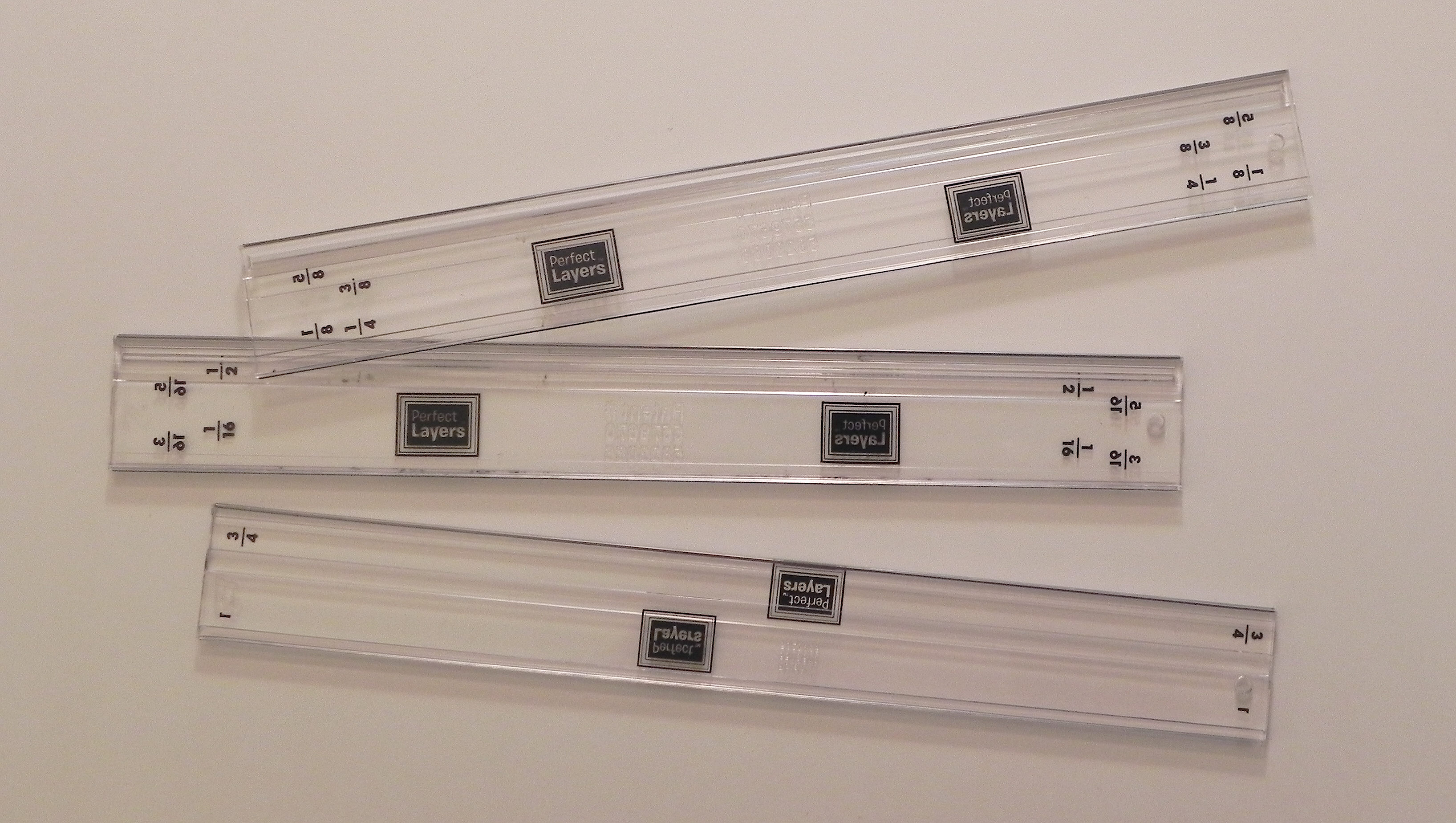
I want to share a product I discovered that I think is great for creating borders/mats for your projects. It is called “Perfect Layers” which you can find at perfectpapercrafting.com or here on amazon.com.

(click on photo to see larger image)

cDSCN9137

Cutting a mat, especially a thin one, is sometimes tough for me because occasionally, when I trim a panel for a card or a photo for a scrapbook page, it is not cut at a nice round measurement. (Either I was off a tiny bit when I measured or I cut the panel or photo without measuring.) “Perfect Layers” are designed to help you create borders in a bunch of sizes without needing to measure!

perfect mini

(This photo is from their website.)


Here’s how they work:

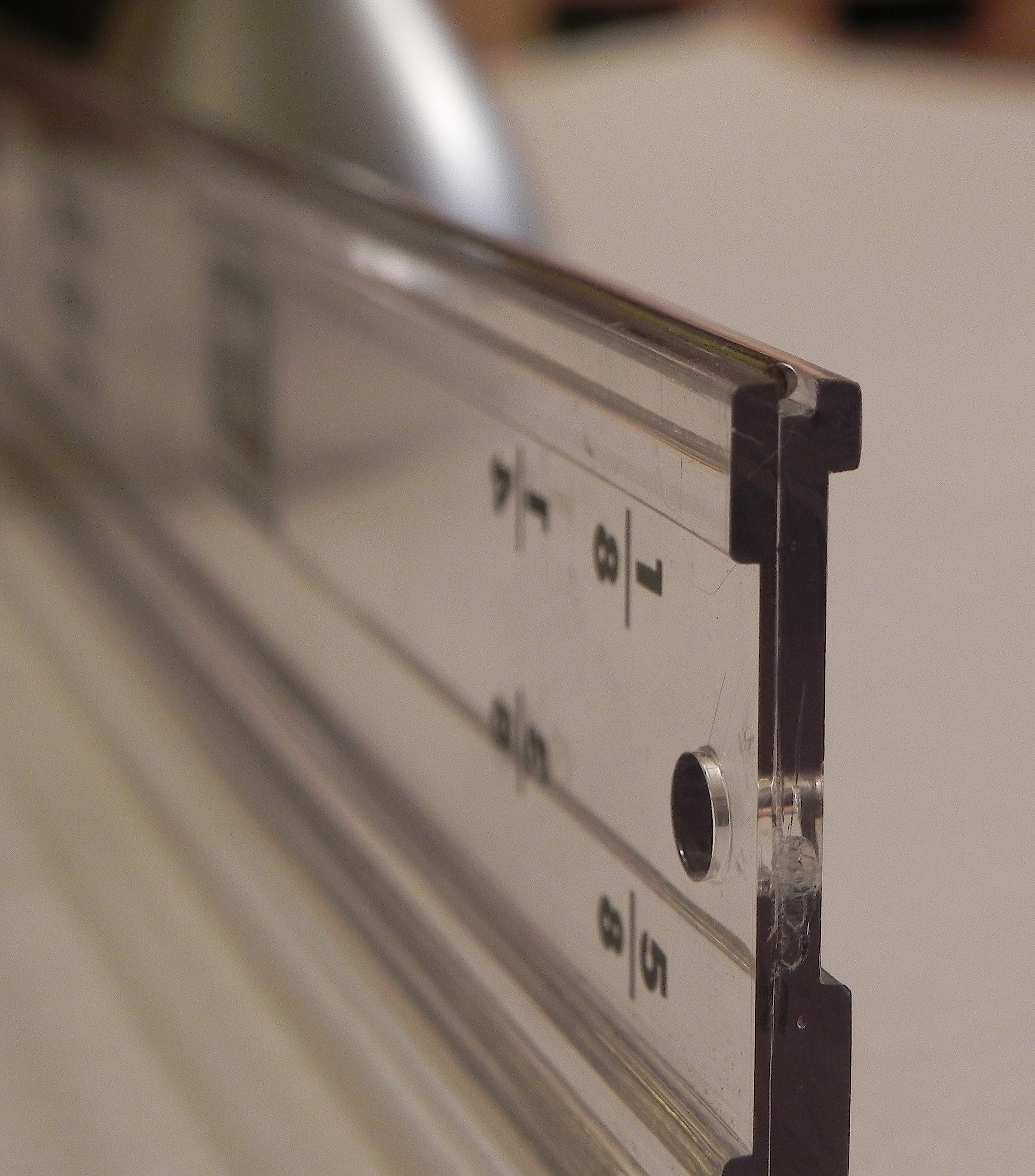
Each tool has a “catch lip” on the underside of the tool that corresponds to the size mat you wish to create.

DSCN9138


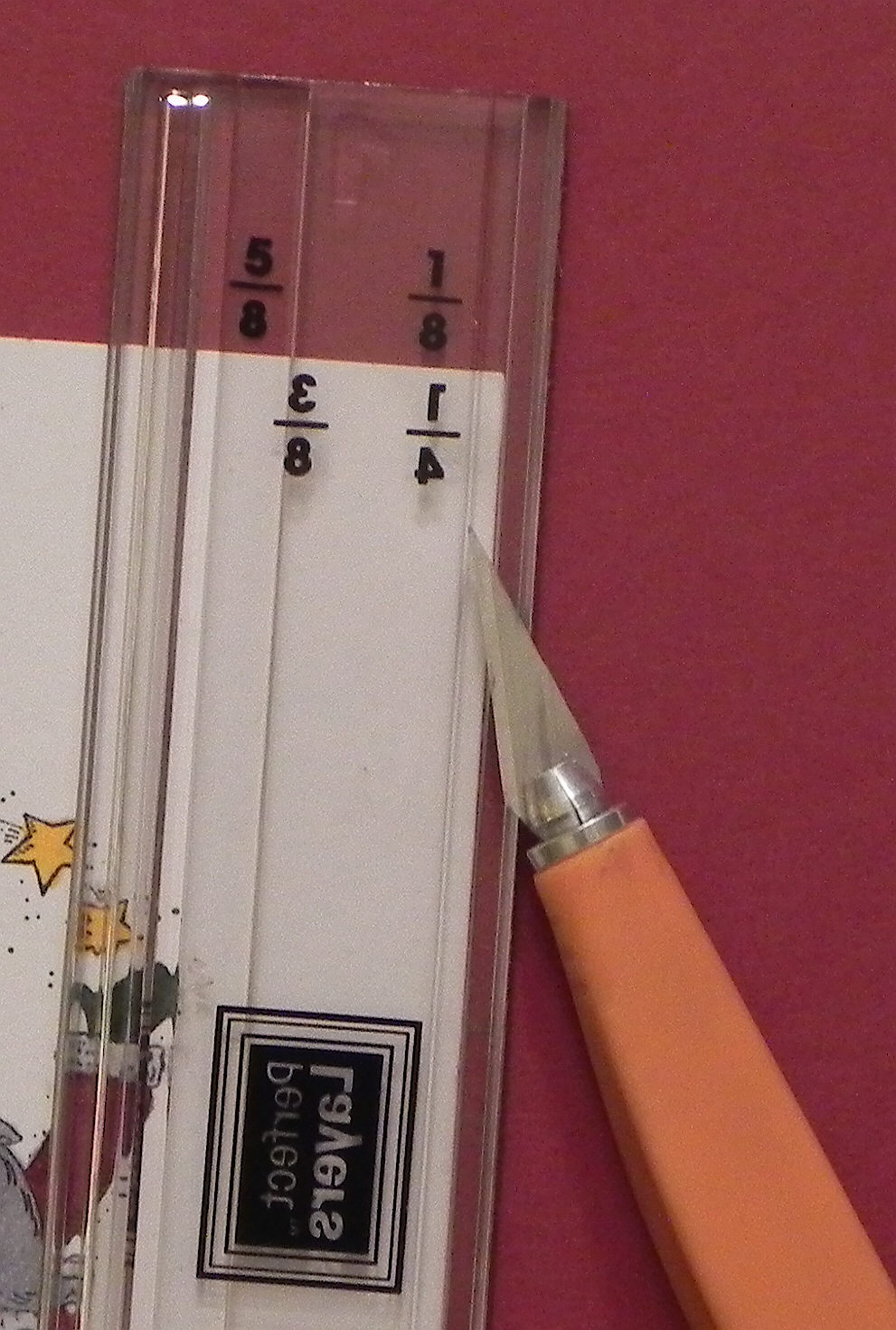
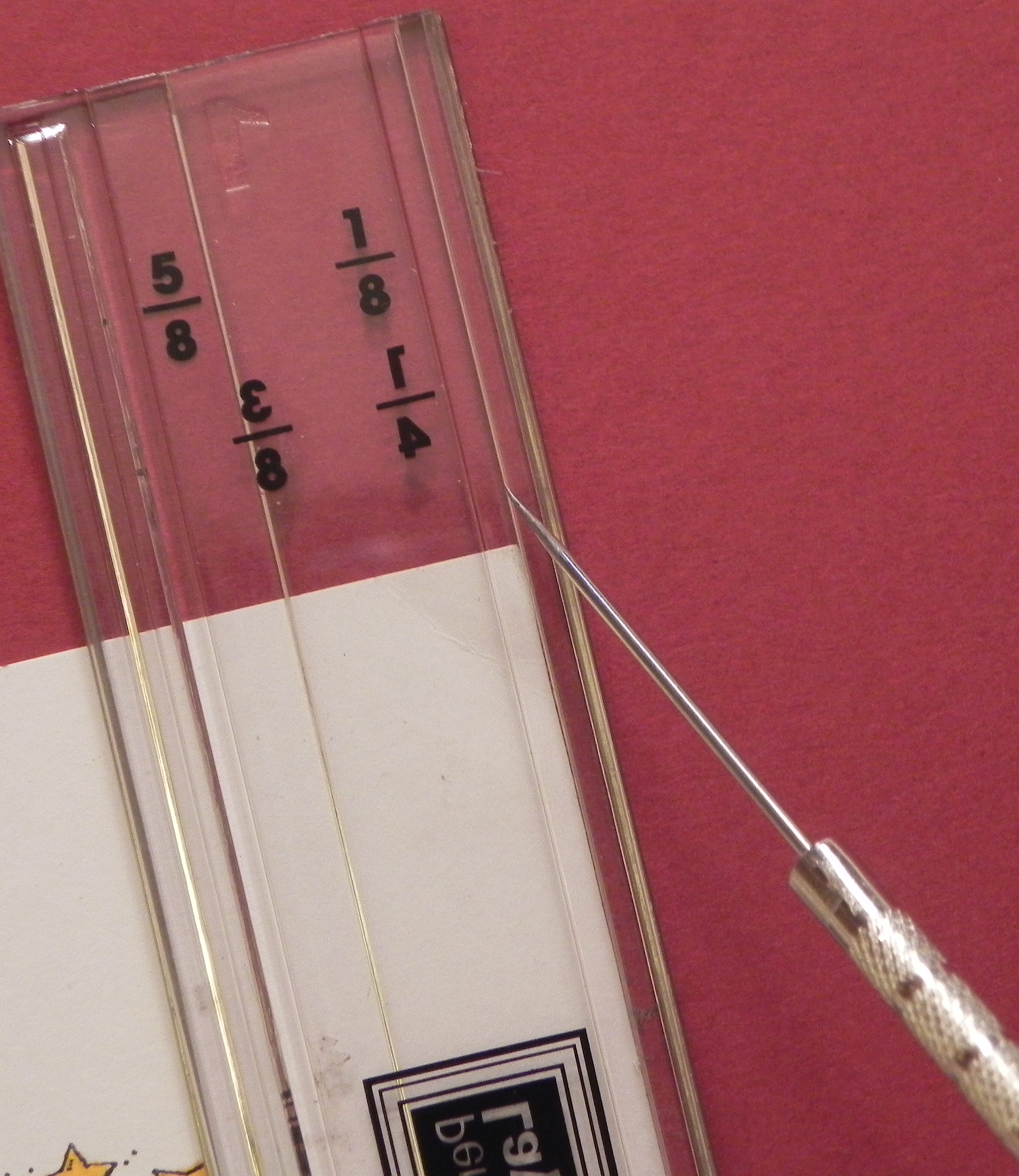
This “catch lip” rests against the edge of the item for which you wish to create a mat. You choose which tool to use (and which side of the tool) based on the size of the mat you wish to create. For example, if I wished to create a mat with a 1/8 inch border, I’d use this tool with the side that has 1/8 (facing the correct way) against my panel. (The 1/4 is backwards because you need to flip the tool over to cut a 1/4 inch border.)

 cDSCN9142


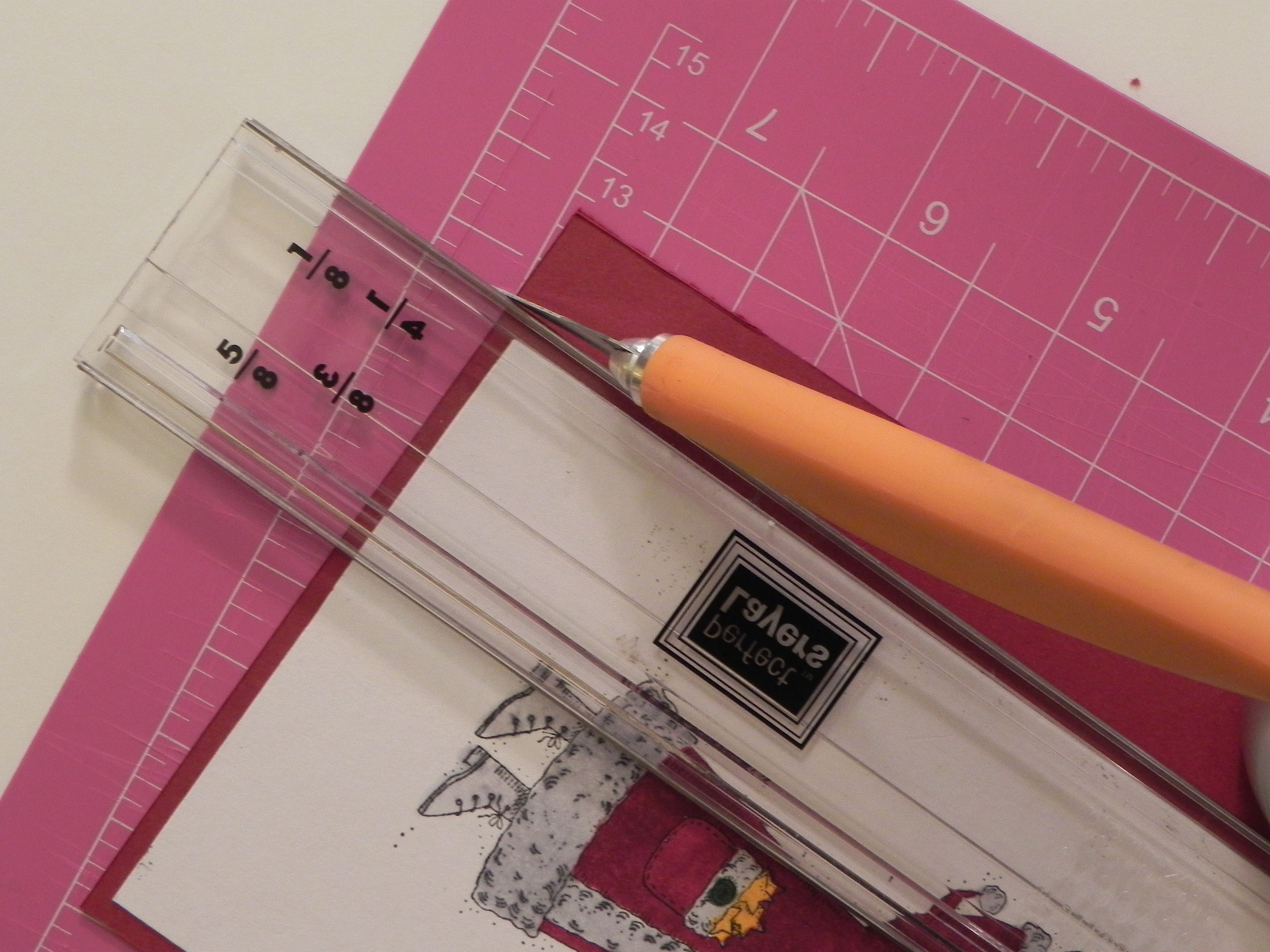
Position the tool by wedging the “catch lip” against the panel. Then use a craft knife to cut the card stock along the tool’s edge, doing this for all four sides. (Work on a self-healing cutting mat to protect your work surface.)

cDSCN9145

cDSCN9150


Because the ” catch lip” needs to catch the edge of your panel, these tools work best when using a thicker, nice quality card stock or photo paper. This seems to provide a nice edge for the “catch lip” to catch and stay put. However, I’ve used these tools with really thin card stock before by eyeballing where the “catch lip” should be by lining up the “catch lip” line on the ruler with the edge of my panel and then holding it firmly in position while cutting.

cDSCN9147


A ruler designed not to slip when using it to draw lines, and a tool designed to cut a perfect square/rectangle are a few of the other products they offer.

cDSCN9153


They provide videos to show exactly how to use these tools.


Thanks for checking out my post.

This content uses referral links as described in the disclosure policy on my sidebar.