Paper Pieced Baby Card

Paper Pieced Baby Card
wDSC_9997.jpg

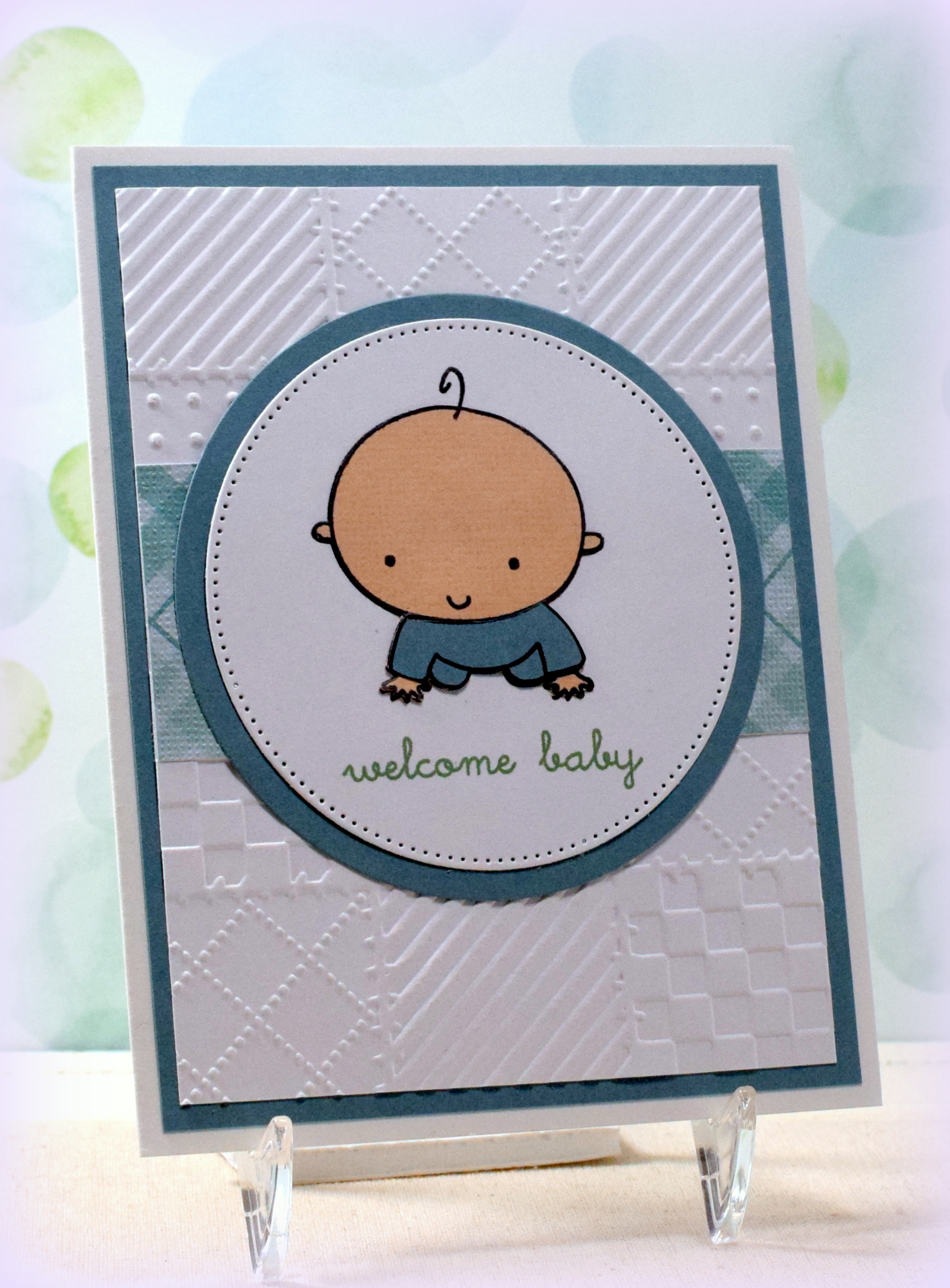
Here’s one more baby card (along with a quick “paper piecing” tutorial) I made while playing with the papers and supplies I had pulled out for the cards in my last post…..

This cute baby image is a cling stamp from a set called “Baby” (#227909) by Recollections.  (I purchased this set at Michaels a while ago and can’t seem to find it in the store or online anymore.)

baby stamp set label front

I used the Darice “Quilt Blocks” embossing folder and a scrap of Core’dinations “Light Aqua Plaid” (#320009) card stock for my background along with a pierced circle (and plain circle) die cut to frame the stamped images.

The greeting is from the “Bundle of Love” stamp set from Gina K Designs (retired?) and was stamped with “Mint Macaron” ink from Stampin’ Up.  I’m not sure why my camera “sees” blues differently than I do; the ink and these papers match so much better in person than on the photo.  (The papers are more greenish, and the ink is more bluish in real life.)  Oh well!

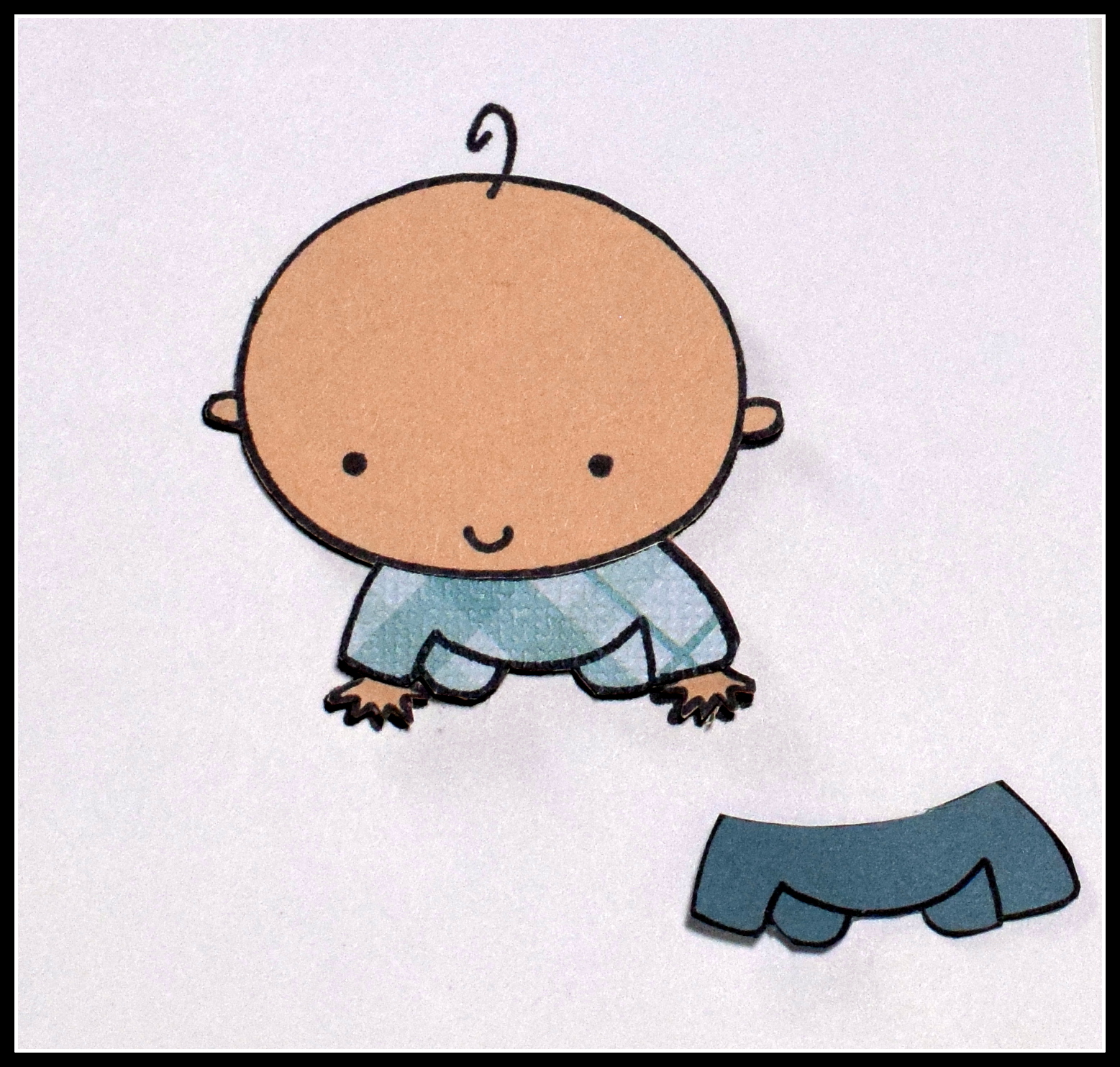
I “paper pieced” scraps of card stock to my baby image to add the color.  I really like this technique because you can easily match whatever card stock you are using on your project.

HOW TO PAPER PIECE:

To do this technique, you stamp the image onto the panel you plan to use on your card.  (For my card, I wanted the baby and greeting to be on a white panel, so I stamped him on white making sure I had enough space around him to die cut the panel with the pierced circle die.)


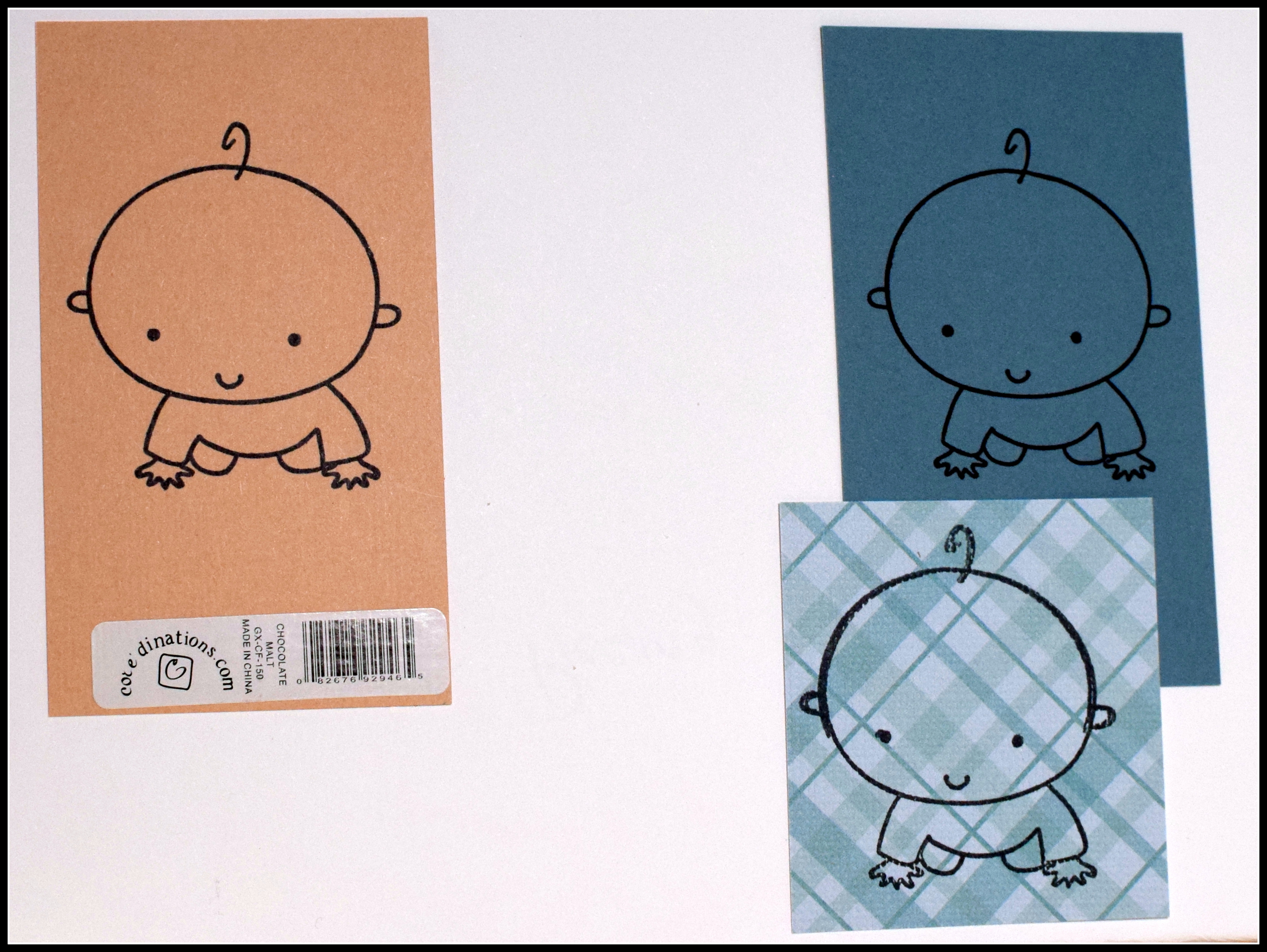
Next, decide what colors you want to “color in” the image and stamp the image on a scrap of each of those colors.  (I couldn’t decide if I wanted his pj’s to be solid or plaid, so I stamped it on a scrap of each.)
002 DSC_0048

With scissors, cut out the portions of the colored pieces you need to “fill in” your image.  I cut out the whole body from the peachy paper and just the pj’s from the aqua pieces.  Notice that I did not worry about cutting out the line for the baby’s hair on the peach piece.  (The hair is too thin to cut out and is not supposed to be peach; it is supposed to be black and is still on the image on the white panel.)

003 DSC_0050

The final step is to glue the layers on to the white panel.  Line up the black stamped portions when doing that.  You can see how the hair “reappears” in this step!  (I was still deciding what he should wear in the photos below.  Ultimately, I decided to use the solid piece and removed the plaid one.)

004 DSC_0053     005 DSC_0053


Thanks for checking out my card project!

This content uses referral links as described in the disclosure policy on my sidebar.

A Few Baby Card Variations

A Few Baby Card Variations

wDSC_0015.jpg

In a recent post, I shared a few easel cards with negative framed scenes which were samples I had made for one of the classes in the 8-week card making course I am teaching through the Haddonfield Adult School.  One of my students had asked me (prior to that class) if I had any baby shower supplies as she needed a card for her daughter-in-law who is expecting.  I went through my stash at home and adapted the easel card lesson to include some baby shower elements and offered this variation as an option along with the others.  The above sample is the same basic card as the others but has patterned paper behind the negative (instead of the scene) and different greeting stamps.

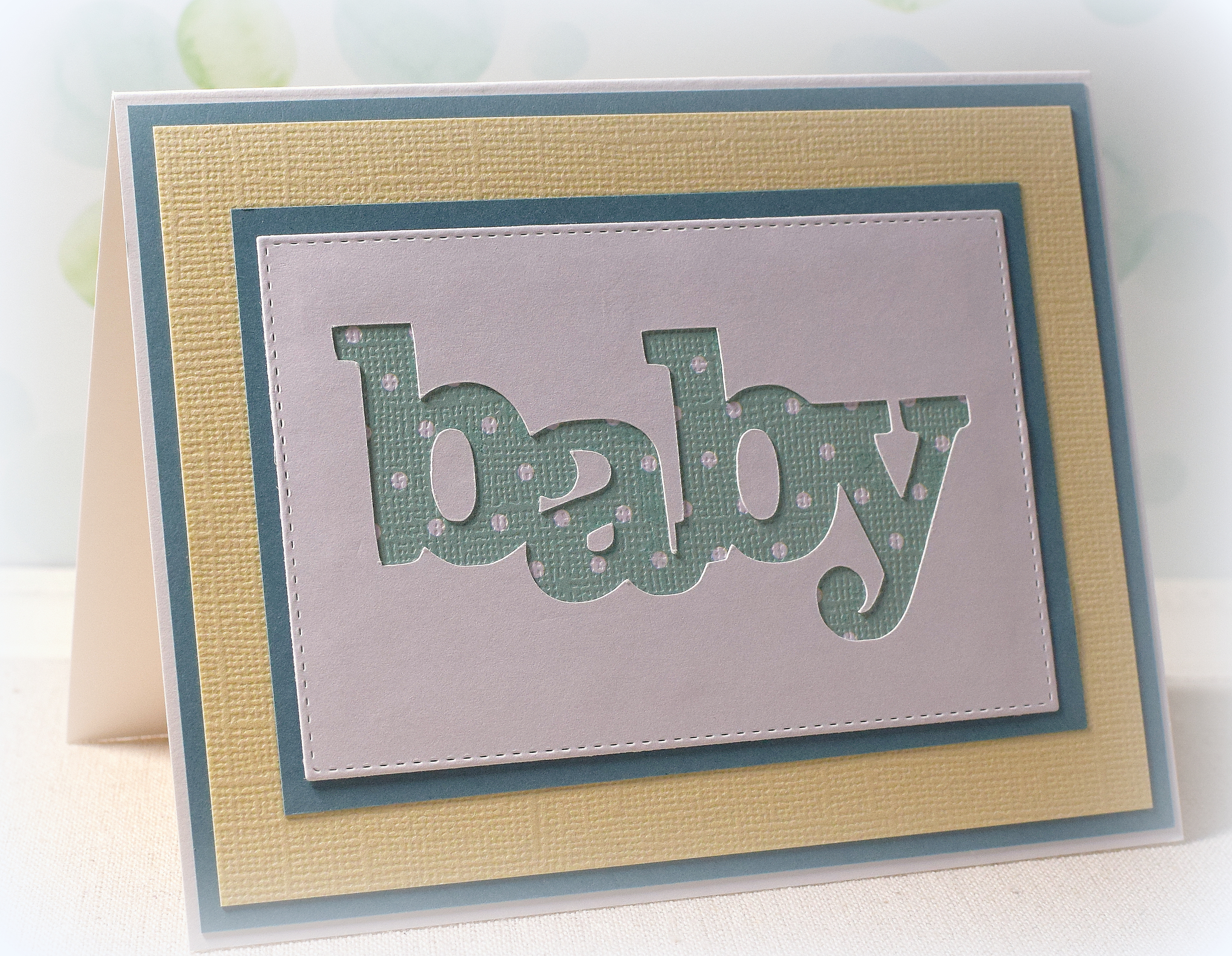
Once my baby supplies were out, I got to playing with them along with a few scraps of paper that seemed appropriate and came up with a few more designs.  Below are a few cards using the negative of a “baby” word die cut.

xDSC_0090

wwDSC_0081  wwDSC_0065


For two of the samples, I embossed the stitched rectangle frame with a wafer thin stitched rectangle die using my Cuttlebug and a Spellbinders embossing mat.  (The “sandwich” I use for embossing with a thin die is A-plate, B-plate, embossing mat, card stock, die with cutting edge facing paper and embossing mat, B-plate, and a chipboard shim.)  For the other two, I cut out the rectangle instead.

This is a pretty easy card design that could be customized with whatever colors and printed papers you desire.  And once the front panel is created, it can either be adhered to an easel card base or to a plain folded card base.  (I show how to create the easel card base in the post mentioned above.)

The “baby” die is called “In a Word: Baby Cutaway”  and the “happy” die is called “In a Word: Happy Cutaway” which are both by Winnie & Walter.  The “Baby Shower” stamp is from the “Mommy-To-Be Diva” set and the “a blessing from above” stamp is from the “Blessing From Above” set which are both by Gina K designs.

The patterned paper I used was Green/Pink Plaid HOTP-200210 (Paper Pizzazz/Hot off the Press) and several prints by Core’dinations called Light Aqua Plaid, White Plaid, and Light Aqua Small Dot.  The solid colored card stock was Chiffon (Bazzill), April Lovely (Core’dinations), Grey Kraft (Recollections), and a sheet from the Earth value pack (Recollections).

Thanks for checking out my card project!

This content uses referral links as described in the disclosure policy on my sidebar.

Floral Palette Screen Divider and Shutter Cards

Floral Palette Screen Divider Cards and Shutter Cards

wwwDSC_8534.jpg

(back:  Wishing you a very happy birthday”

In my last post, I shared a few cards I made with the beautiful patterned paper called “Floral Palette” by Recollections.

10505805

Here are a few more cards I made using this same paper.

The pattern on the top of this paper is quite different from that on the bottom, and these patterns flow from left to right beautifully so I decided to keep the two patterns “as-is” for my screen divider cards.  I had made a screen divider card last year and decided to “warm up” with the same punches.  (Instructions on how I made these are included in that post.)

You can get 5 panels across the 12×12 inch page, and choosing two different groups of 4 gave me two variations.

This card is from the top (left) half:

wDSC_8526

Here’s another card from the top (right) half:

wDSC_8537

After I completed those, I played around with the bottom half of the paper and with a few different punches and dies for a different look.  Here’s my third card (also shown at the top of this post):

wwwDSC_8534

*

Floral Palette Shutter Cards

In addition to screen divider cards, flowing patterns also make great panels on shutter cards.  (HERE is a video tutorial on making this type of card.)  I left the “inside” blank and could add a stamped or hand-written message when the card is needed.

wDSC_6867.jpg

To see the supplies used, click here…

Continue reading

Layered Sympathy and Get Well Cards

Layered Sympathy and Get Well Cards

wwwDSC_8552

Recently, I was in Michaels and saw some patterned paper on clearance for $0.19 a sheet.  I decided to buy several sheets of the same pattern and started “playing” with it when I got home.  Scraps started piling up on my desk which led to a bunch of different card layouts.  Fun, fun, fun!!

The beautiful patterned paper used for all these cards was called “Floral Palette” by Recollections.  So much going on with this pattern; so many possibilities!

10505805

First, I focused on the soft colors from the upper right corner of the paper.  The soft tones seemed perfect for a sympathy card.  There is also a small section in the middle of the left edge that I thought worked well.

wDSC_8543

wDSC_8547  wDSC_8550

      (The top sample above is a 5 x 7 inch card, and the bottom two are 5 1/2 x 4 1/4 inches.)

*

For this last card, I used a portion of the paper to make a simple card front.  I added a double mat and greeting, and it was done!  Doesn’t get much easier than that!!

wDSC_8546

I still have a bunch of scraps left over.  Hmmm…..


To see the supplies used, click here… Continue reading

Embossed Birds Sympathy Card

Embossed Birds Sympathy Card

wDSC_9989.jpg

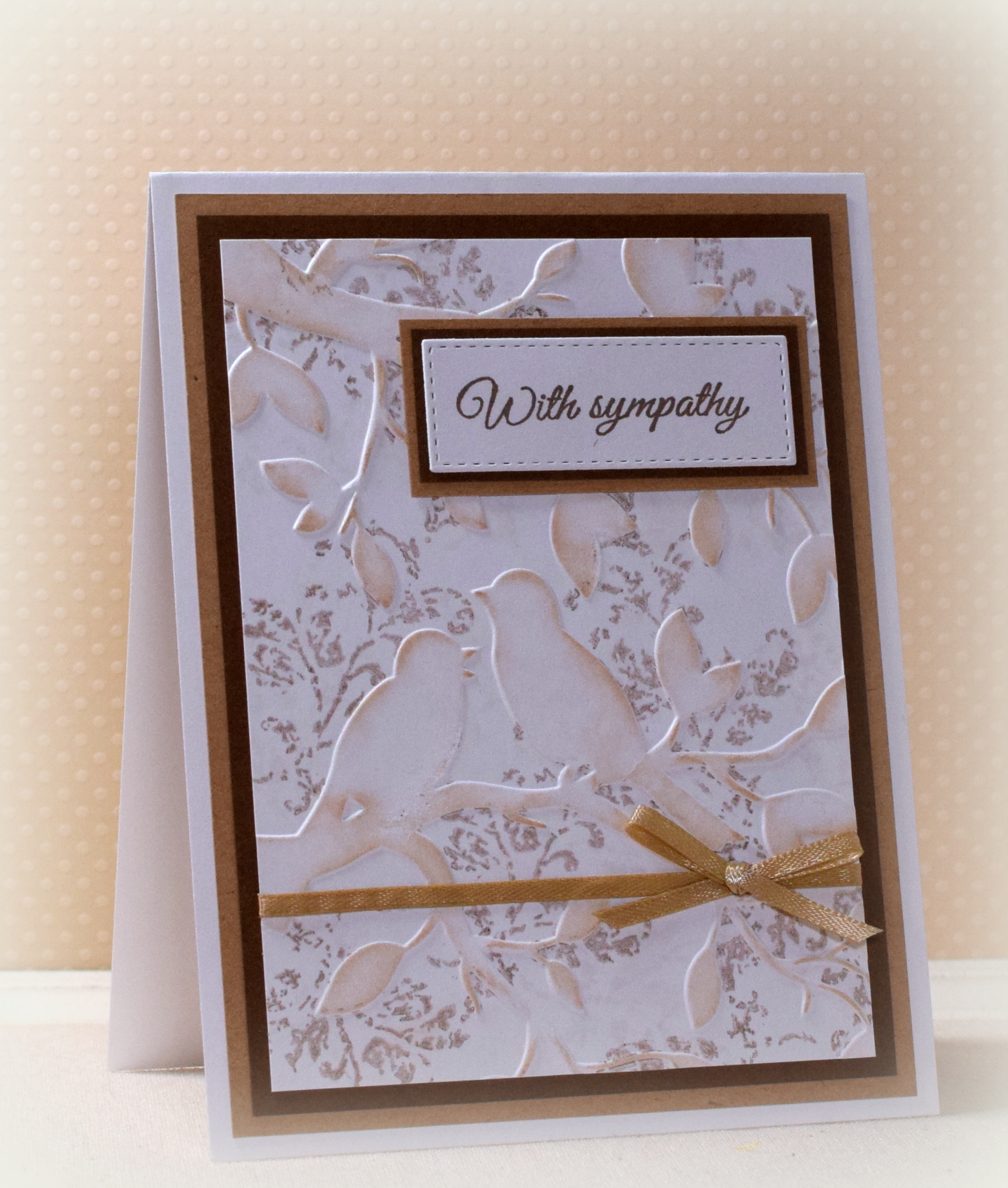
This card features the “Birds in Branches” embossing folder by Darice and a stamp from the “Timeless Textures” set by Stampin’ Up.

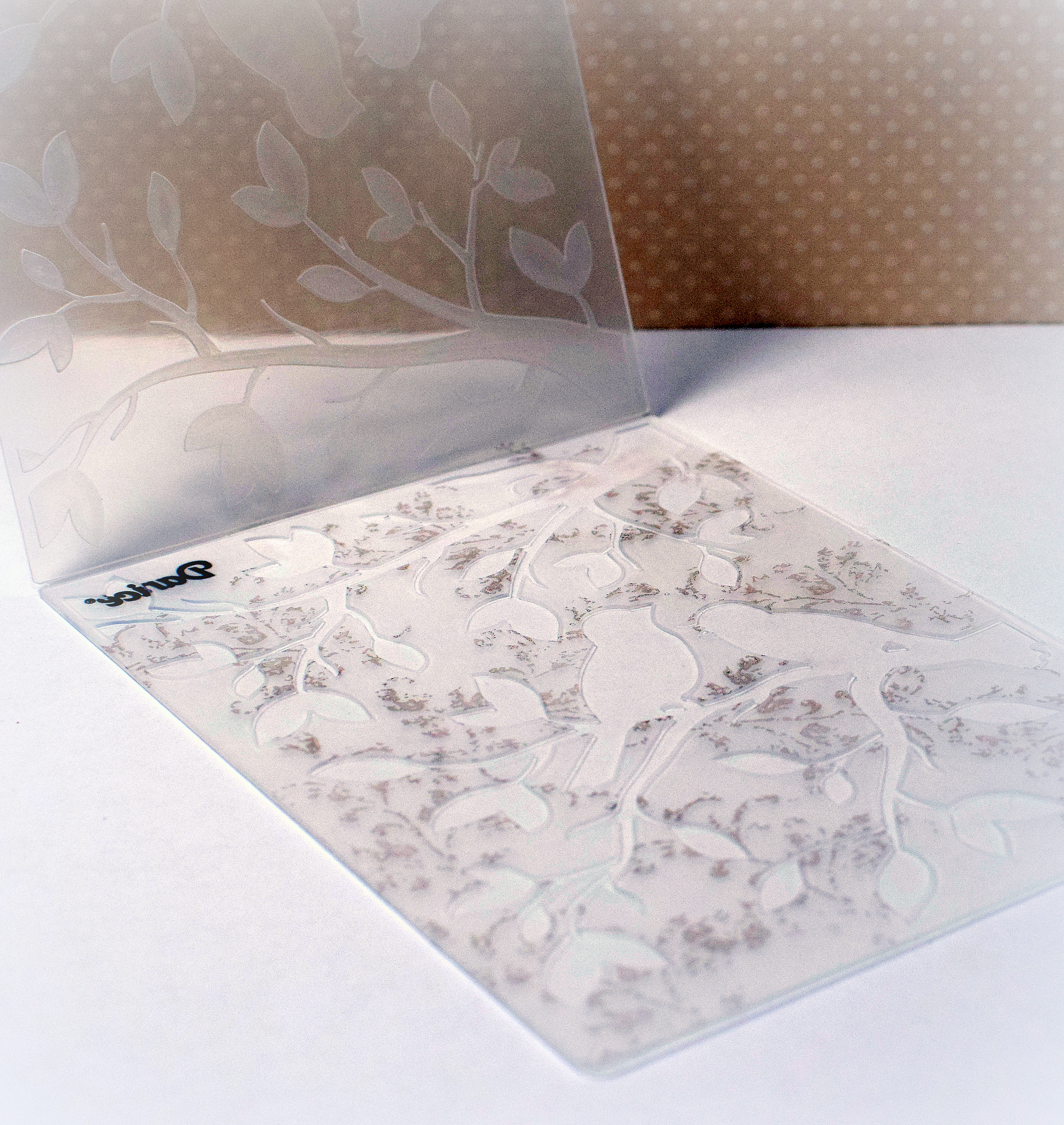
In order to make the stamped pattern appear behind the embossed birds and branches, you stamp the pattern onto the inside of the embossing folder before embossing.  Embossing folders with larger, solid portions (as opposed to thin lines/patterns) work best for this technique.  Open the embossing folder and stamp your image on the “front” side of the folder (with the indented images that will be embossed).  You want the ink/stamped images to go only on the flat part of the folder; avoid getting ink inside the “indented” birds and branches.  (In other words, press/stamp lightly; do not press so hard on your stamp that it squishes into the indented portions of the folder.)  You can use a large background stamp to ink up the folder or repeatedly stamp a smaller image (like I did here).  Keep in mind that whatever you stamp will transfer as a mirror image so text, music notes, etc. will appear backwards with this technique.

wDSC_9990

Once the embossing folder is inked up, carefully place your card stock inside the folder (position paper on clean side and then close folder to avoid smudging stamped images), and run it through your die cutting machine as you normally would.  (You may want to use a card stock shim and run it through a few times to make sure all the ink transfers to the card stock.)    And don’t forget to wash your embossing folder when done in case there is any ink left behind!

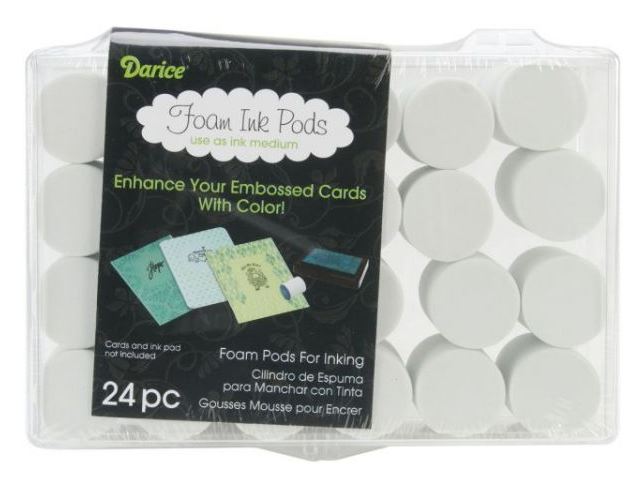
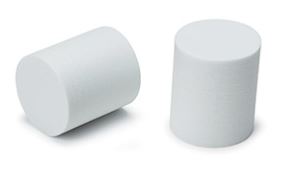
After I embossed my panel, I lightly rubbed over the raised portions with ink and a Darice Foam Ink Pod.  Because these pods are kind of hard/firm (unlike a sponge), I find it easier to keep the ink only on the raised surfaces and not in the “nooks and crannies” around the embossed parts.  (These pods can be washed with soap and water and reused.)

foam pods 2    foam pods 1

The embossing folder does all the work on this card!  I simply added some mats, a greeting stamped on a stitched rectangle die cut, and a ribbon embellishment to finish it off.

Thanks for checking out my card project!

This content uses referral links as described in the disclosure policy on my sidebar.