Hog Wild Birthday Card

Hog Wild Birthday Card
Hog Wild Birthday  DSCN7819.jpg

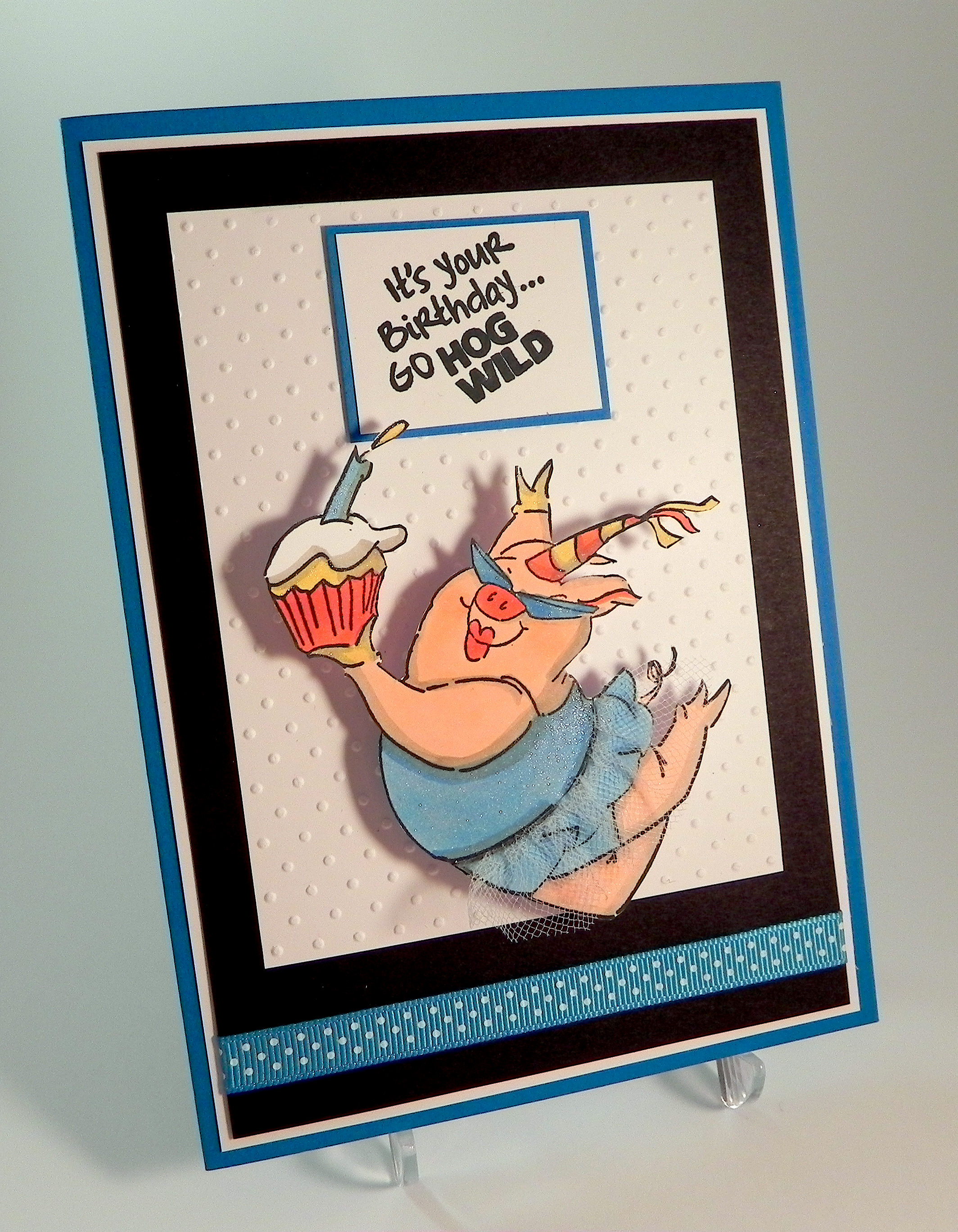
 This card is being entered in the Perfectly Rustics – PR Design Challenge No. 39 – Animals, where we are to “go wild” with animals in our creations. (http://perfectlyrustics.com/2015/01/12/prdc-no-39-animals/)

This was a fun card to make!  I love this awesome party pig and sentiment by Art Impressions called “Hog Wild Birthday” from their Zoo Crew collection.  She was stamped with Memento tuxedo black ink and colored with Copic Markers (R20, R24, Y23, B12, B14, and W4).  I made her a tutu from white tulle which I attached with Score Tape.
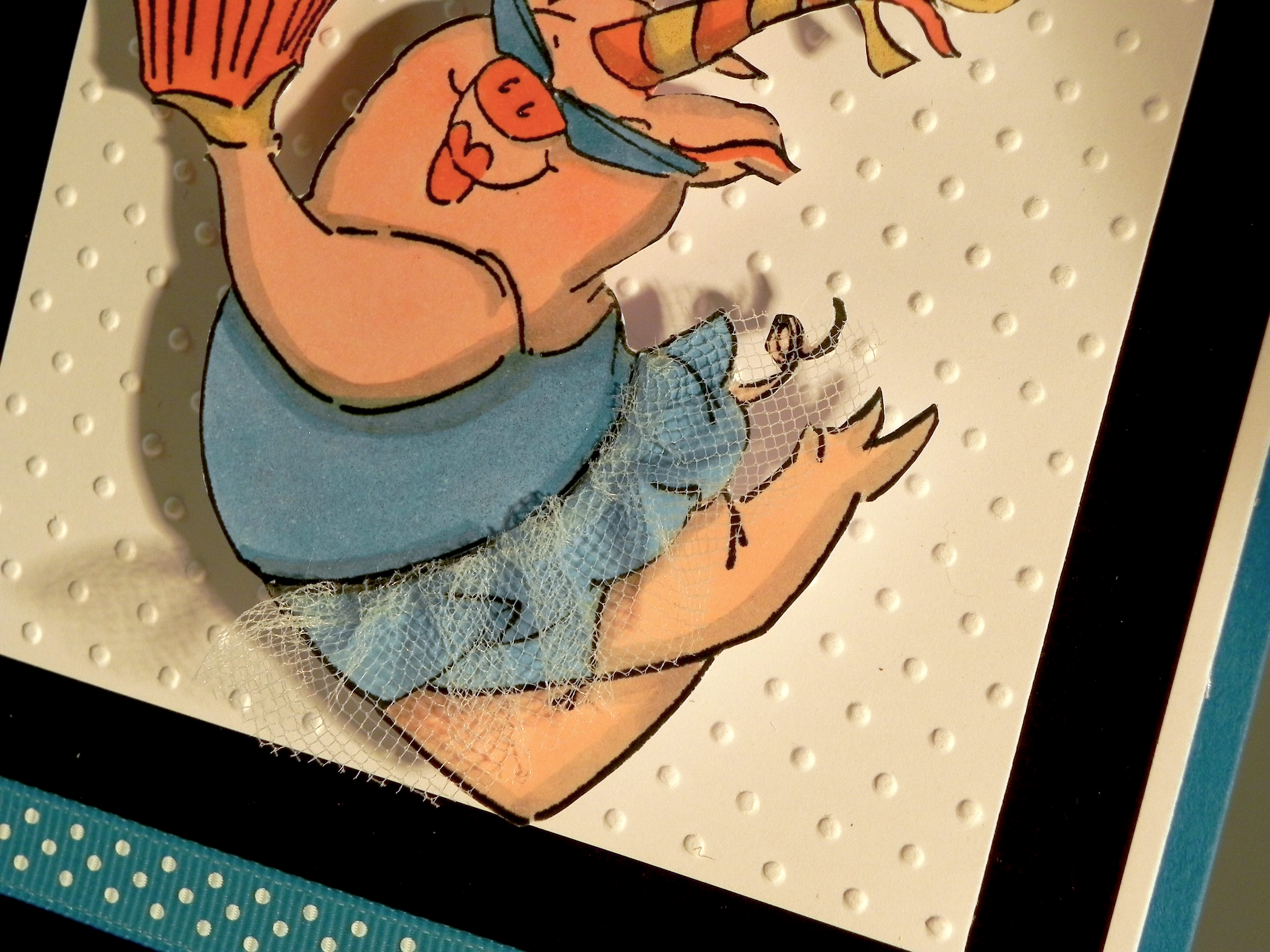
wwDSCN7785

She was originally stamped on plain, white card stock and was then hand-cut, but there were too many thin lines, and I felt she wasn’t all that sturdy. I decided to make a second card using a heavier weight card stock for the stamped pig, but this was very hard to cut without bending it so I made a cut file on the Silhouette and stamped the image on that.  (You’ll see the thin white border around the pig on the photo below.)  Glitter was added with a clear Wink of Stella brush pen.  (It’s on the card in the photos above, but it’s hard to see unless it catches the light at the right angle.)
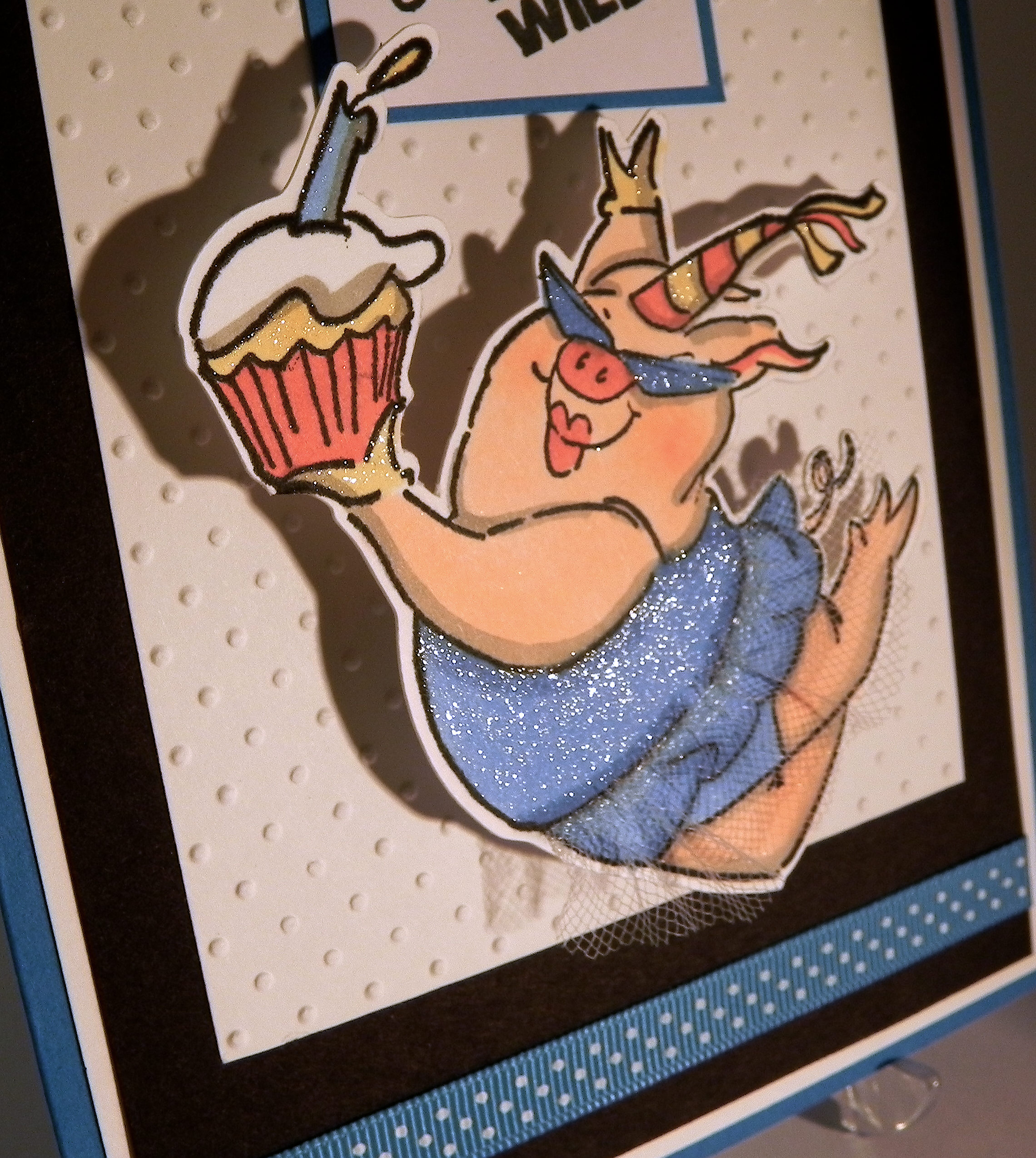
glitter DSCN7771

The pig cut-out was mounted on a spring, and it wobbles when the card moves.  (If there is a big blank space below, click on it to see the gif file of the pig moving.  Not sure why it’s sometimes visible and sometimes not!!)
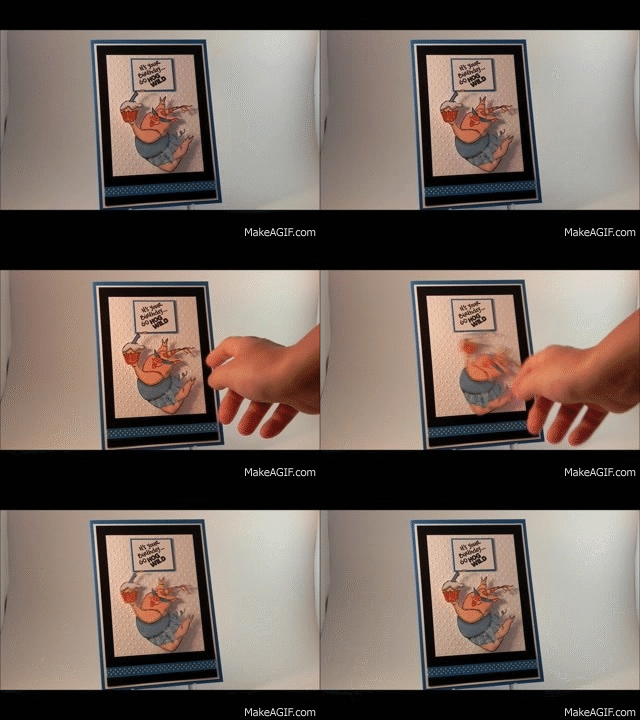
Hog Wild Birthday Card video clip


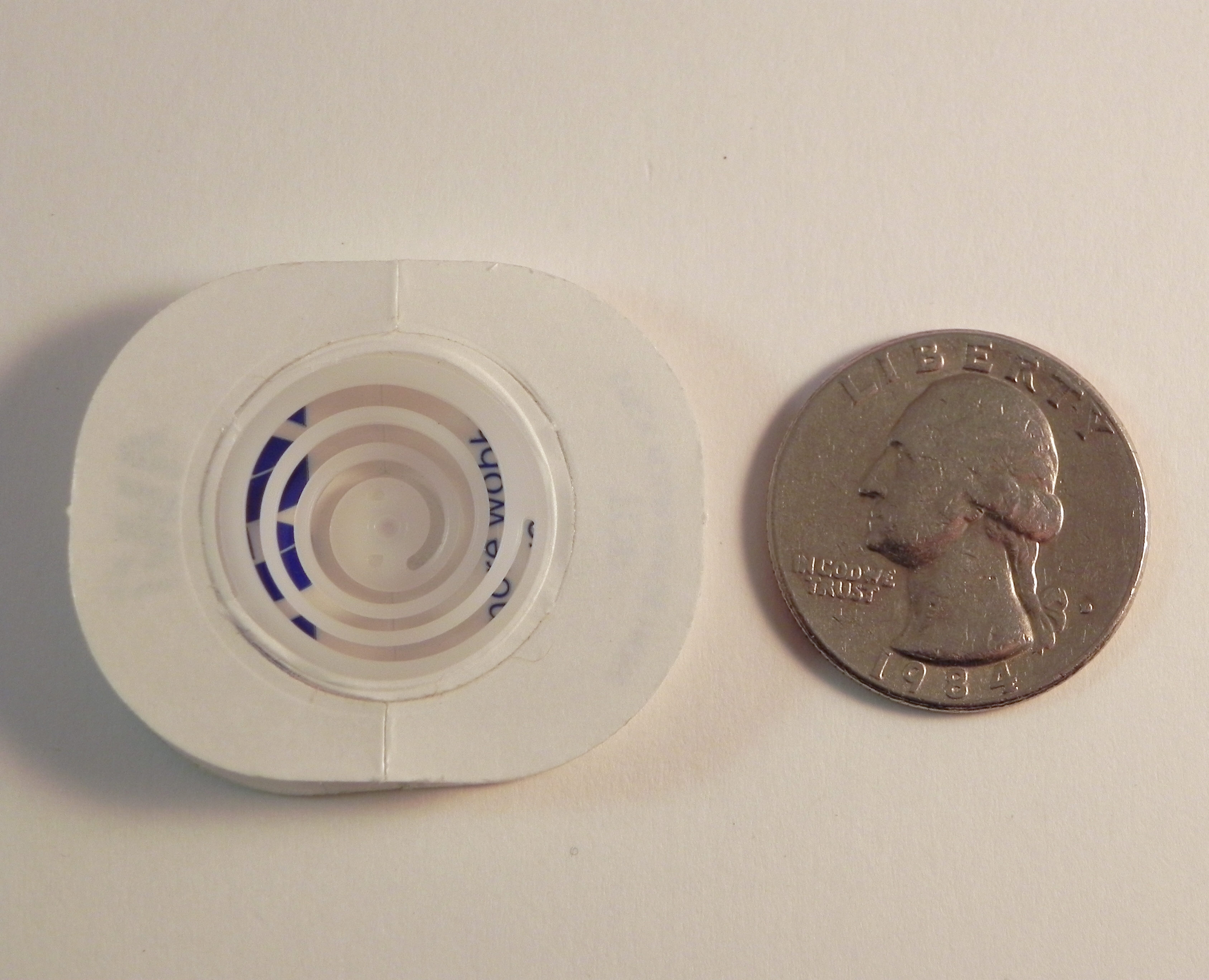
The spring is called an “Action Wobble Spring” and is a plastic spring with adhesive on both sides so it sticks to your card project and to the element you want to wobble.  I really love using these springs, but as you can see in the photo below, the adhesive panels are fairly large so your element needs to be big enough to cover the spring.  (They now come in a smaller/mini size as well.)

wwDSCN7833  wDSCN7839

wDSCN7842

Thanks for checking out my card project!

This content uses referral links as described in the disclosure policy on my sidebar.

“With Love” Tulip Card

“With Love” Tulip Card

aaaaaaDSCN7655

This card was made for the Mod Squad Challenge – Teal and Purple.  In addition to using teal and purple on our card, we are also encouraged to use stamps designed by Melanie Muenchinger who is the sponsor for this week.   (Sadly, this site is no longer active.)

First of all, I always find color challenges to be extremely challenging, and it occurred to me that I was not even exactly sure what teal was when it came time to select ink and paper!  (I don’t have anything actually called teal.)  It is defined as “a dark greenish-blue color,” and when I googled “teal” images, some of the pictures coming up looked more on the blue side and others appeared to be more greenish.  Hmmm…  I realize that part of the problem may be my computer, but this is what I decided to use as my guide:

Teal (1)       teal

My tulip card (above) is a little more on the green side, and my other card (next post) is a little more blue.  Hopefully, I’m close enough!

And then, of course, the next challenge is photographing the finished card so the photo on the computer looks true to life.  Sigh…..

Anyway…

The stamp set I chose for this project is the Gina K Designs “A Year of Flowers 2” set which was designed by Melanie Muenchinger.  I placed my greeting by the stem as if it were one of the leaves and then masked the words and stamped a leaf over it to give it the look of a sketchy leaf shape.  I lightly sponged the tulip and leaves with Gina K wild lilac and turquoise sea inks.  I used a Spellbinders die from the “Fleur de Lis Rectangles” set and cut it twice from both Gina K wild lilac card stock and a piece of Recollections card stock that didn’t have a color name on the label.  (The name was on the display in the store, but I don’t remember what it was – teal, perhaps?!)  The background paper is Recollections blue floral matted with the wild lilac.

Because I sponged color onto the flower and leaves with a sponge dauber, I am also entering this card in the StampTV Release Party Challenge where we are to color with a sponge.   (Sadly, this site is no longer active.).

Thanks for checking out my card project!

This content uses referral links as described in the disclosure policy on my sidebar.

Sympathy Card with Alcohol Inked Background

Sympathy Card with Alcohol Inked Background

Sympathy Card with Alcohol Ink Background zDSCN7490.jpg

This card was made for the Mod Squad Challenge – Teal and Purple.  In addition to using teal and purple on our card, we are also encouraged to use stamps designed by Melanie Muenchinger who is the sponsor for this week.   (Sadly, this site is no longer active.)

To make the background, I used glossy card stock and the following Tim Holtz Adirondack alcohol inks: sailboat blue, silver mixative, purple twilight, eggplant, stream, and meadow along with the alcohol blending solution.  It was mounted on Gina K edible eggplant card stock and then on a white card base.

The panel in the center was stamped with a sentiment from the Gina K Designs “A Beautiful Life” set in Gina K wild lilac ink.  I went over the text with a Sakura Stardust clear glitter pen to add a bit of sparkle.  The flowers in the background came from the Gina K Designs “A Year of Flowers 2” set and were “stamped off” first (with the wild lilac ink) before stamping on the panel.  They were then sponged lightly with the wild lilac ink.  The panel was double matted with Gina K wild lilac and edible eggplant card stock.

(click on photo to see the sparkle)

uDSCN7610

Both of the stamp sets used on this card were designed by Melanie Muenchinger.

Because I sponged color onto the flower and leaves with a sponge dauber, I am also entering this card in the StampTV Release Party Challenge where we are to color with a sponge.   (Sadly, this site is no longer active.)

Thanks for checking out my card project!

This content uses referral links as described in the disclosure policy on my sidebar.

Robot Thank You Card

Robot Thank You Card

Robot with Sweatshirt DSCN7288.jpg

My sons are in the Robotics Club at their high school, and this year they were given team sweatshirts by the Grandmother of one of their team members, which she had personalized with the club name on the front and their team name on the back.  This is the card I made for “Zach’s Nana”… THANK YOU!!!

The robot and the sweatshirt he is wearing were both cut with my Silhouette from files I purchased online from the Silhouette store.  Since I wanted to include the lettering she had put on the sweatshirts, I used the “Print and Cut” feature of the Silhouette software.  I used the “fill color” option to color the sweatshirt image with the gray and added my type in white.  I would have loved to have cut the letters, but they were way too small!

Sweatshirt Wording DSCN7374

The gear-print background paper is from a digital paper set called “Steampunk Papers” that I purchased HERE on Etsy from a store called Digital Scrap.  The gray circuit board strip (which I seemed to have adhered upside down – oops!) was also purchased on Etsy (HERE).  It is called “Circuit Board” and is from a store called The Art Box Designs.  The graph-like paper is from the DCWV “Essentials” 6×6 printed paper pack.  The greeting was stamped with Gina K Blue Denim ink with the “Thanks” stamp from the Gina K Designs “Vertical Greetings” stamp set.  A bit of the Gina K Blue Denim cardstock was used to add a touch of color.  The card base is also blue denim.

The cool metal gear embellishments are from a set called “Mini Gears” in the Tim Holtz Idea-ology line.

robot gears DSCN7373

This is the second card in the series of Robotics Thank You Notes I needed to make.

The first one, called “Are We There Yet?” (shown below), was for my sons’ robotics teacher/coach who drove my guys (and their team) to all of the competitions last year.  It was originally posted on my StampTV page (sadly, this site is no longer active.) and features the same robot.  All of these elements were cut with my Silhouette except for the car which was cut with a Sizzix die.

2014 Robot Card DSCN2645

With 2 more years of Robotics to go, this cute robot may find himself on another card or two, and he will definitely embellish the Robotics scrapbook pages I make for my sons!

Thanks for checking out my card post!

This content uses referral links as described in the disclosure policy on my sidebar.

Artist’s Birthday Card

Artist’s Birthday Card

Artist's Birthday Card 2 DSCN7253


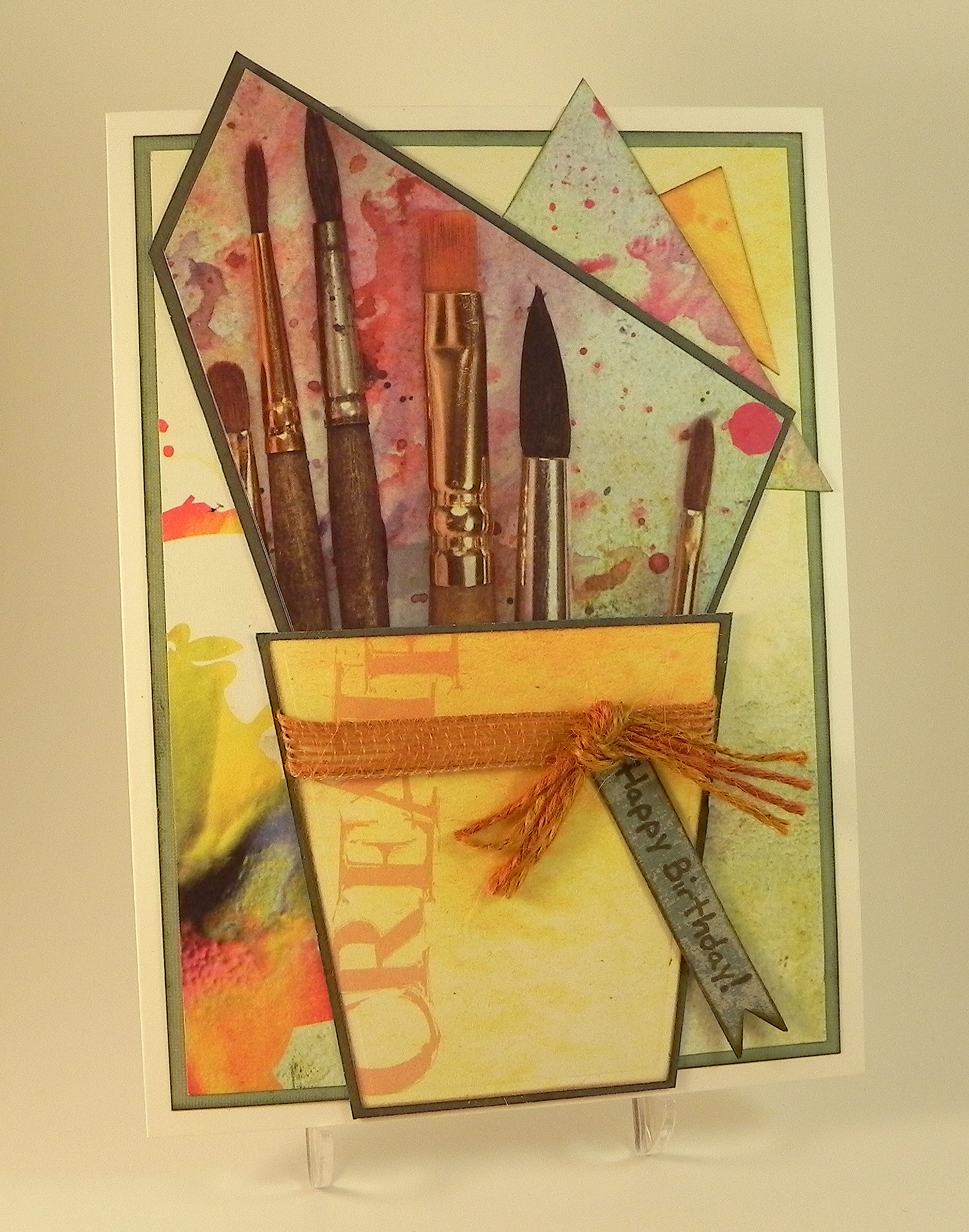
I made this card for my niece who is an art student and whose birthday is this week.  I just happened to find the printed paper I used for the card a few days ago at a store near me called Tuesday Morning where they sell a variety of discounted and closeout items, including crafting supplies.  I love stopping into this store periodically because you never know what they will have on any given day, and I usually find neat things at a great price.  (I also found the zebra print paper there that I used on my last card. It was a very successful trip!)

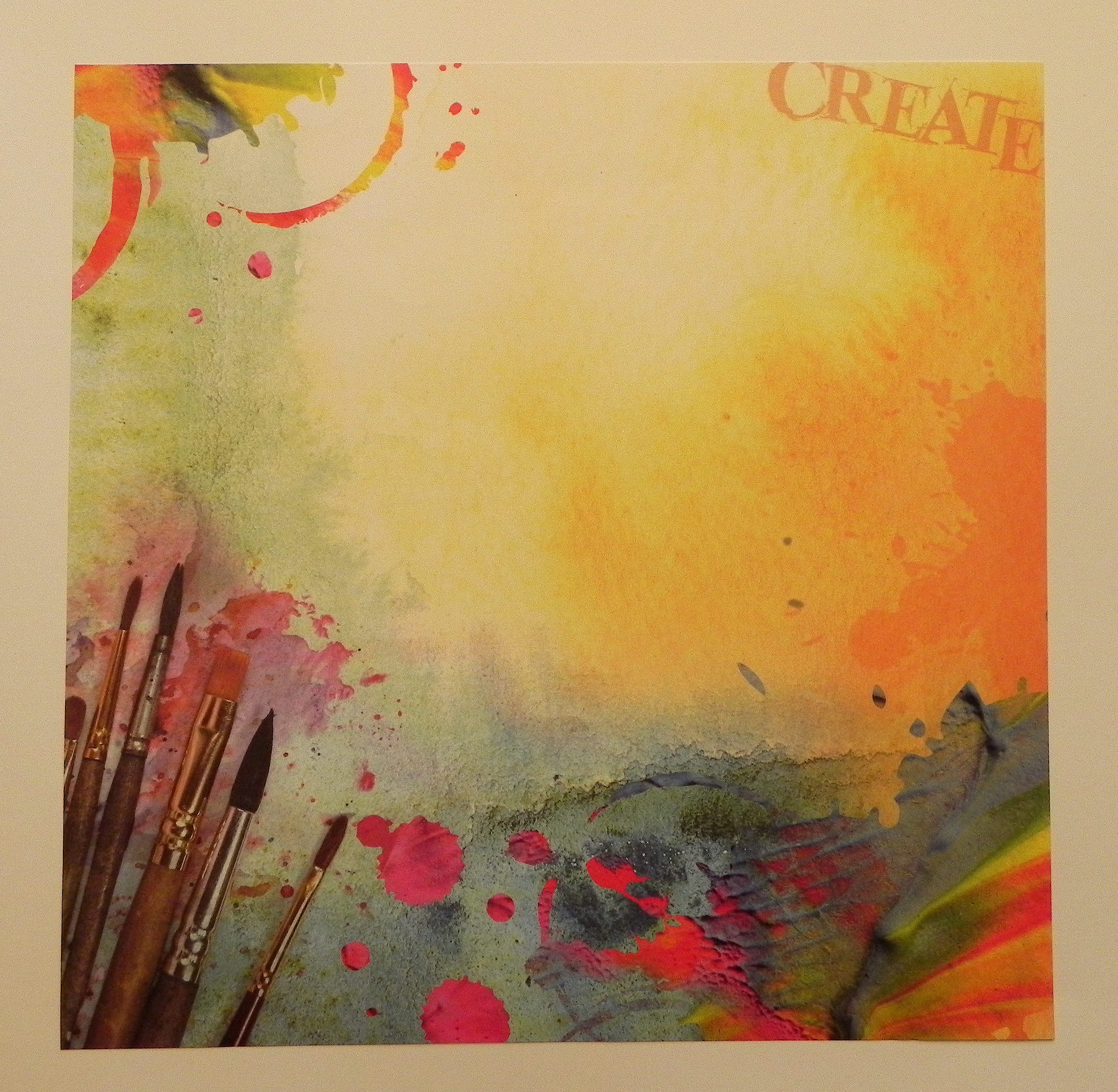
Anyway, here is the paper I found…

Artist's Birthday DSCN7249

It is called “Create” by Paper House Productions.  I decided to try to create my card using just this sheet (and a few pieces of solid greens for mats).  My idea changed quite a few times before I ended up with my finished card!

The flower pot is a Heartfelt Creations Spellbinders die from the set called Decorative Flower Pot.  The banner tag I used for my sentiment is from the Spellbinders Nautical Frame and Accents set.  The Happy Birthday stamp is from the Gina K Designs “You Know You’re Old When…” set, and I used my MISTI  to line it up on the tag. I used Gina K dark sage and Tim Holtz walnut stain distress inks.  A little burlap ribbon and twine finished it off.

I do find it a little stressful making cards for artists.  (My sister is one as well.)  Hopefully I didn’t do anything too “offensive” with colors or composition!!  I guess it’s the thought that counts, right?! Happy Birthday, Domonique!!

Thanks for checking out my card project!

This content uses referral links as described in the disclosure policy on my sidebar.